
Discription
This release introduces the complete Insurance Servicing Module, along with its supporting sub-modules, to streamline project management, insured records handling, policy tracking, and task management within AVA.
With this update, users can now manage agency projects, maintain insured records, handle policy data, and track daily operational tasks within a unified system. These enhancements improve visibility, accountability, and workflow efficiency across all roles. Additionally, improvements in user management, reporting, and permissions provide better scalability and control.
Agency Projects
The Agency Projects sub-module has been developed to provide a centralized and structured way to manage all agency-related projects. It allows users to not only view and manage projects but also control team assignments, client associations, and tracking configurations within a single interface.
Users can view a complete list of agency projects along with the users assigned to each project, making it easier to monitor project ownership and team distribution.
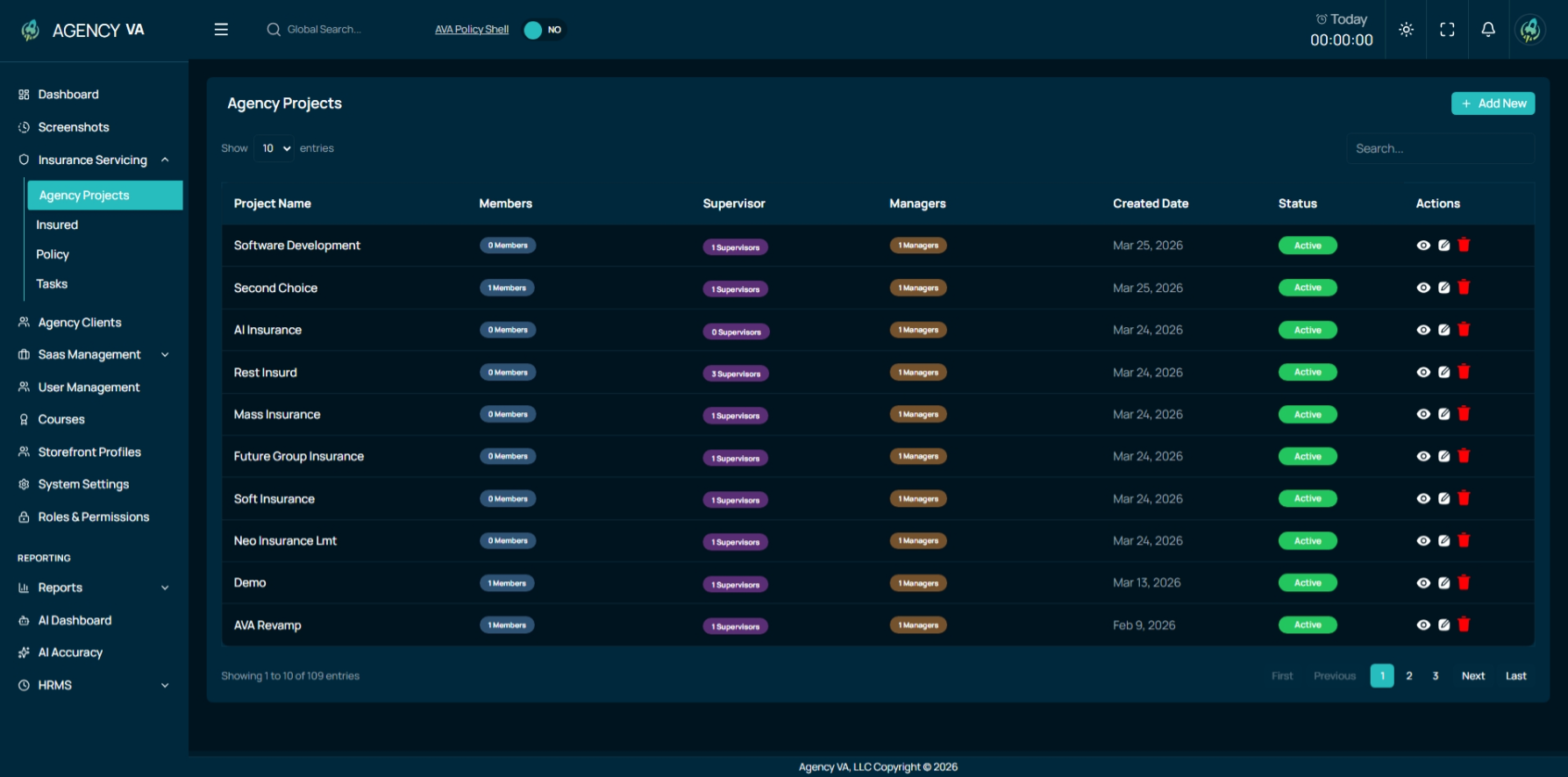
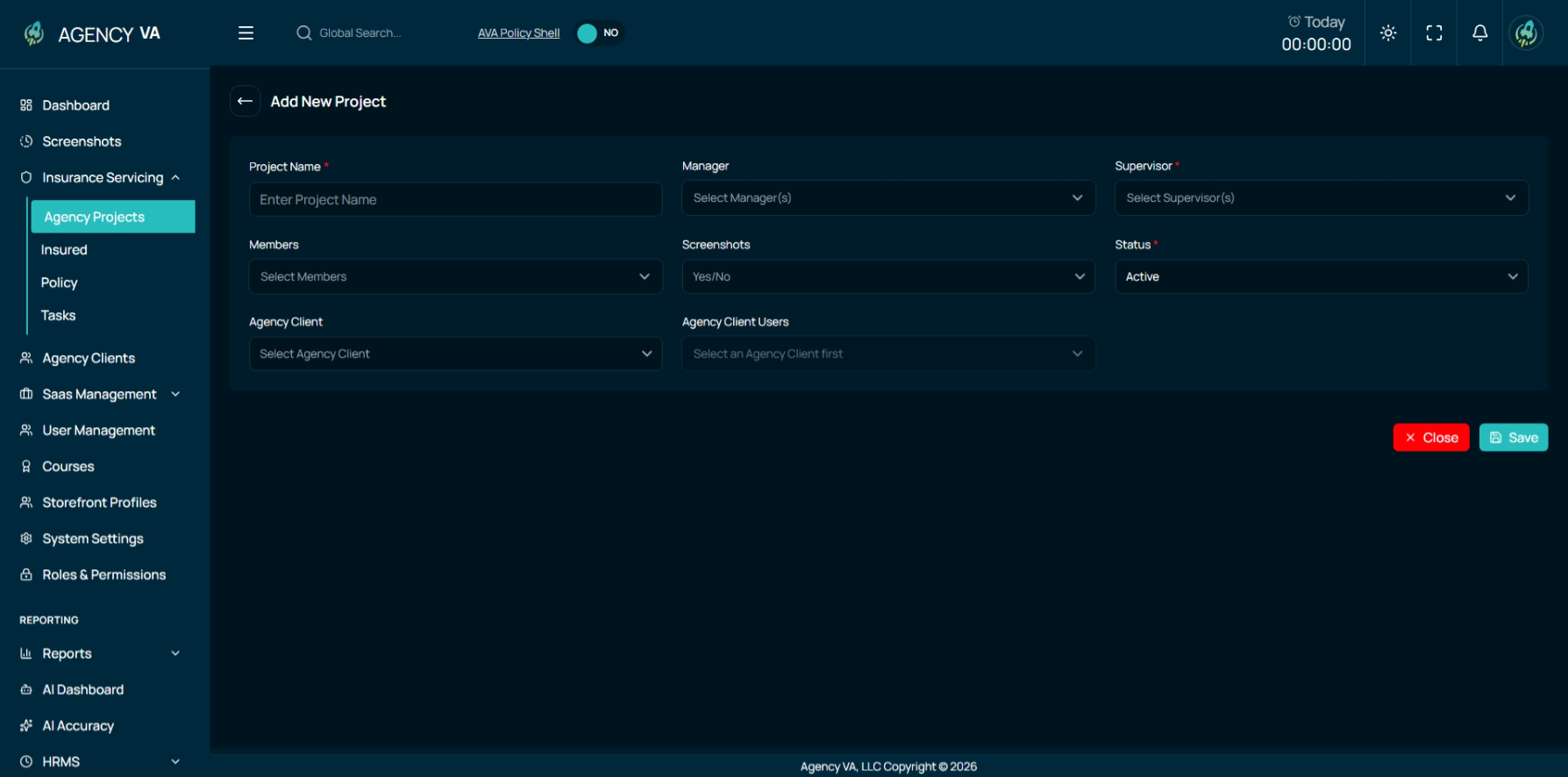
Project Creation & Configuration
While creating a new project, users can define all key project settings in one place. This includes assigning Managers, Supervisors, and team members, selecting the relevant agency client and their associated users, and enabling or disabling screenshot tracking based on project requirements.
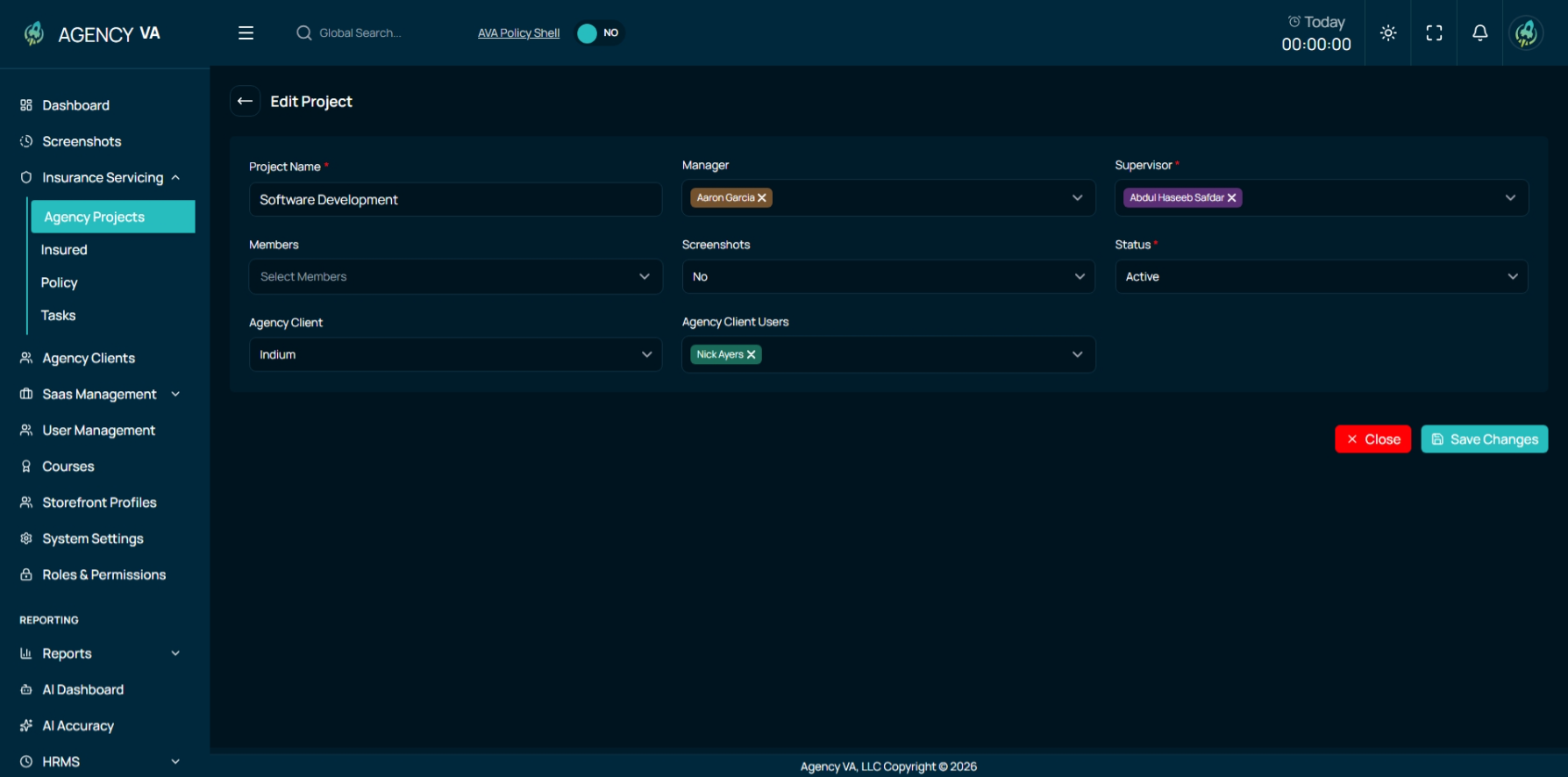
Project Editing
Existing projects can be updated at any time, allowing users to modify assignments, configurations, or other project details as needed.
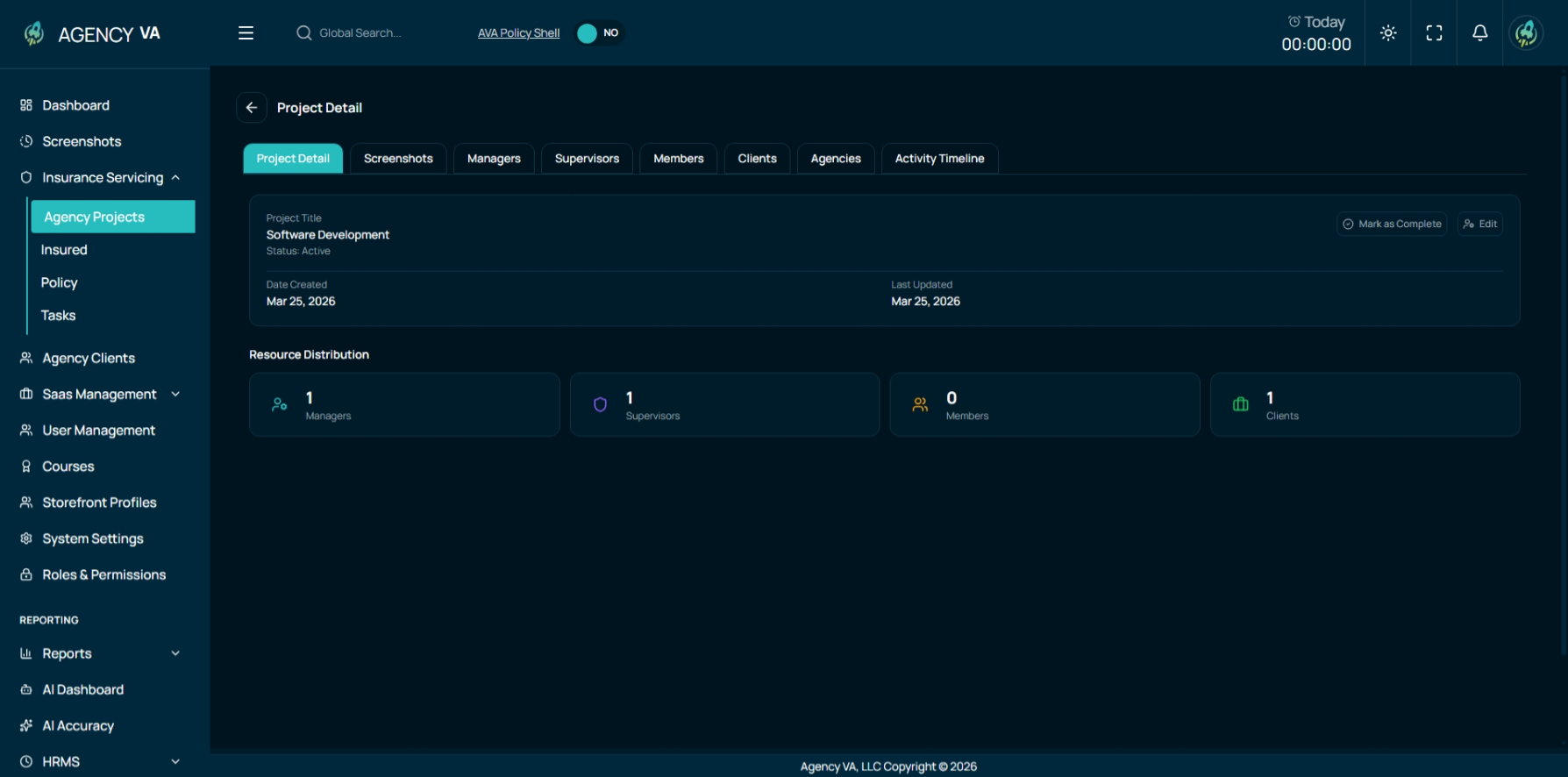
Detailed Project View
The detailed project view (accessible via the eye icon) provides a complete breakdown of project-related information through multiple tabs, enabling better visibility and management.
- Project Details Tab: Displays all basic information related to the project
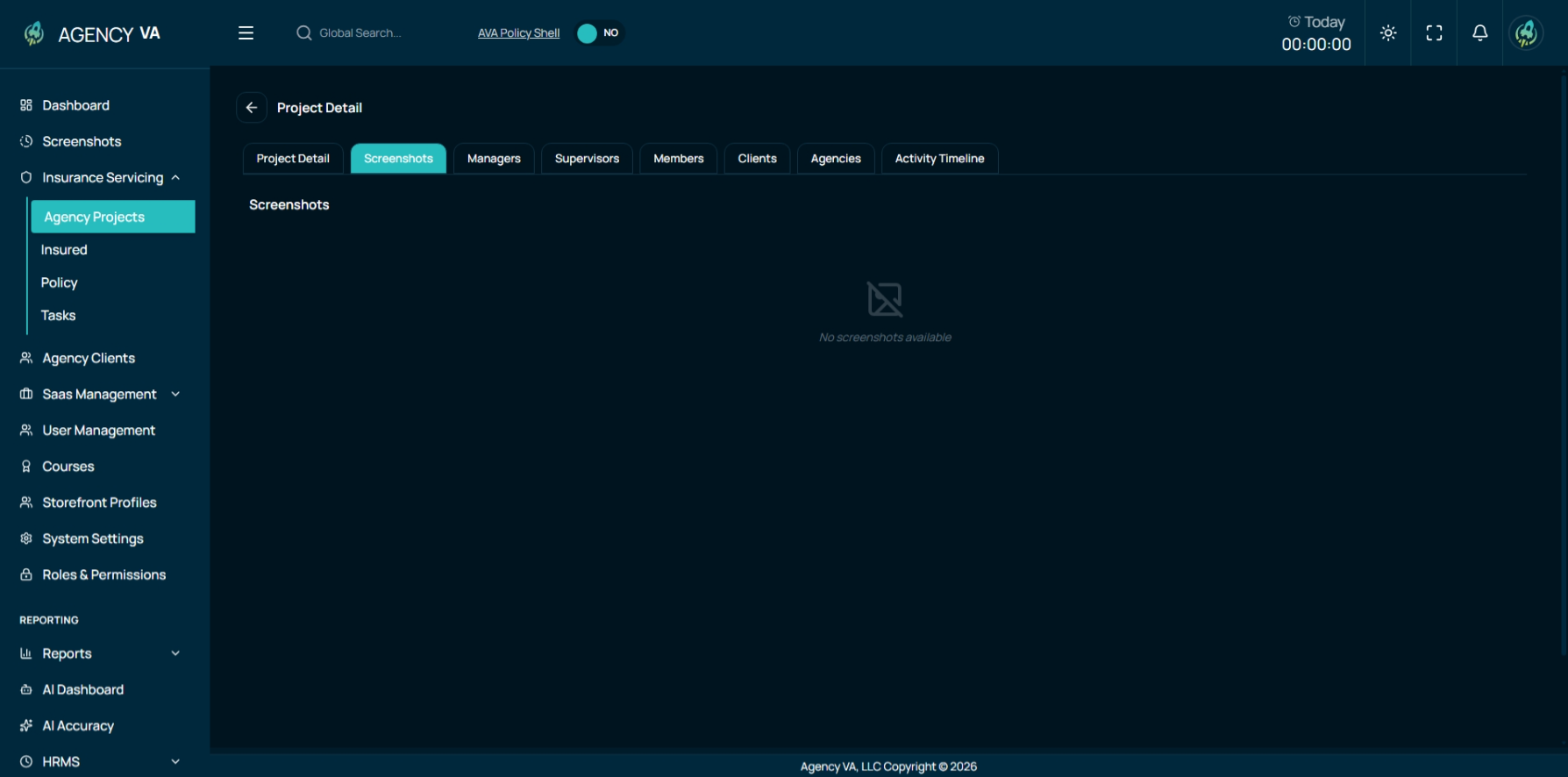
- Screenshots Tab: Shows all user screenshots if screenshot tracking is enabled
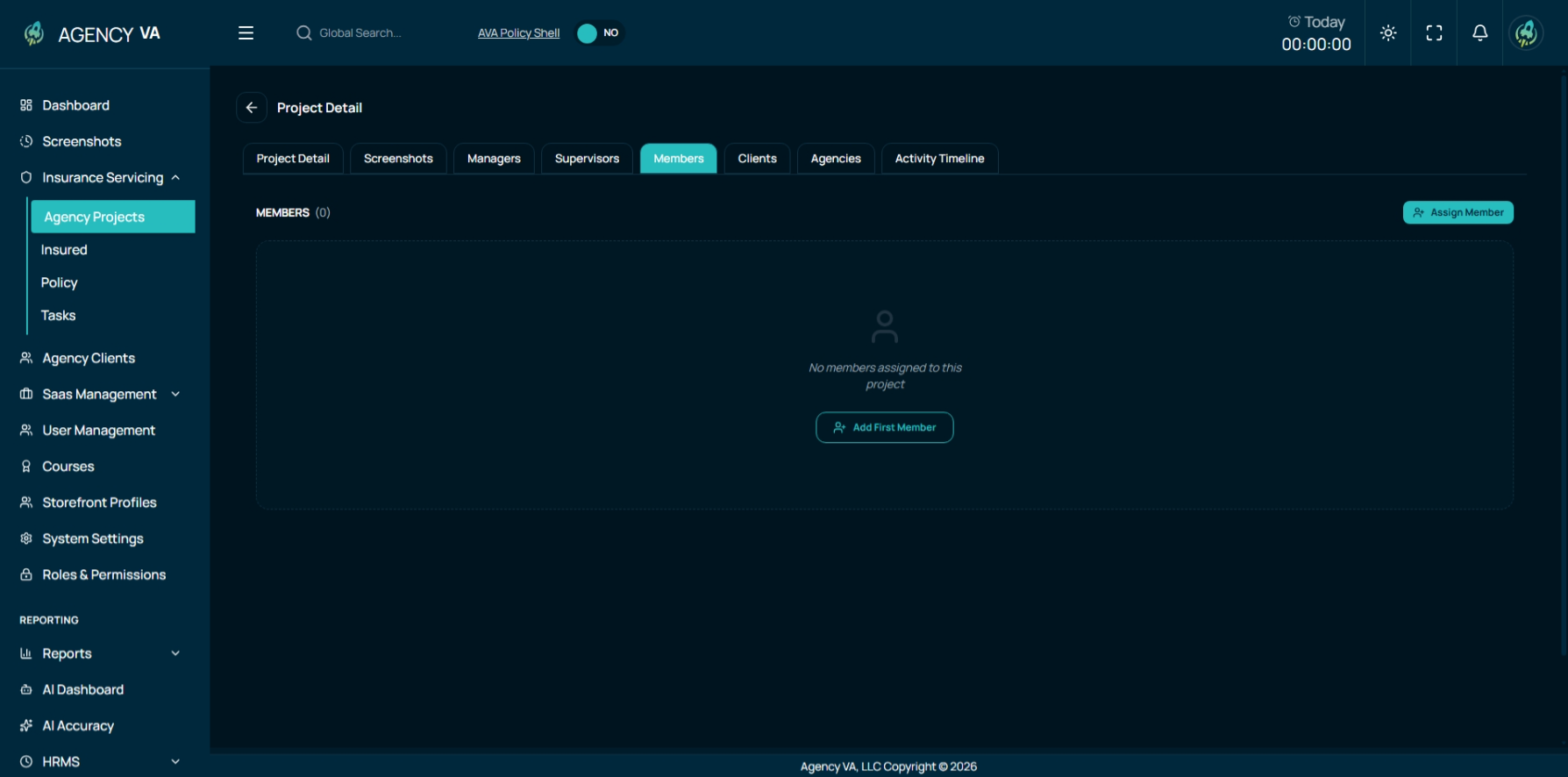
- Team Members (VAs) Tab: Lists all team members assigned to the project. User can assign and unassign Members to this project.
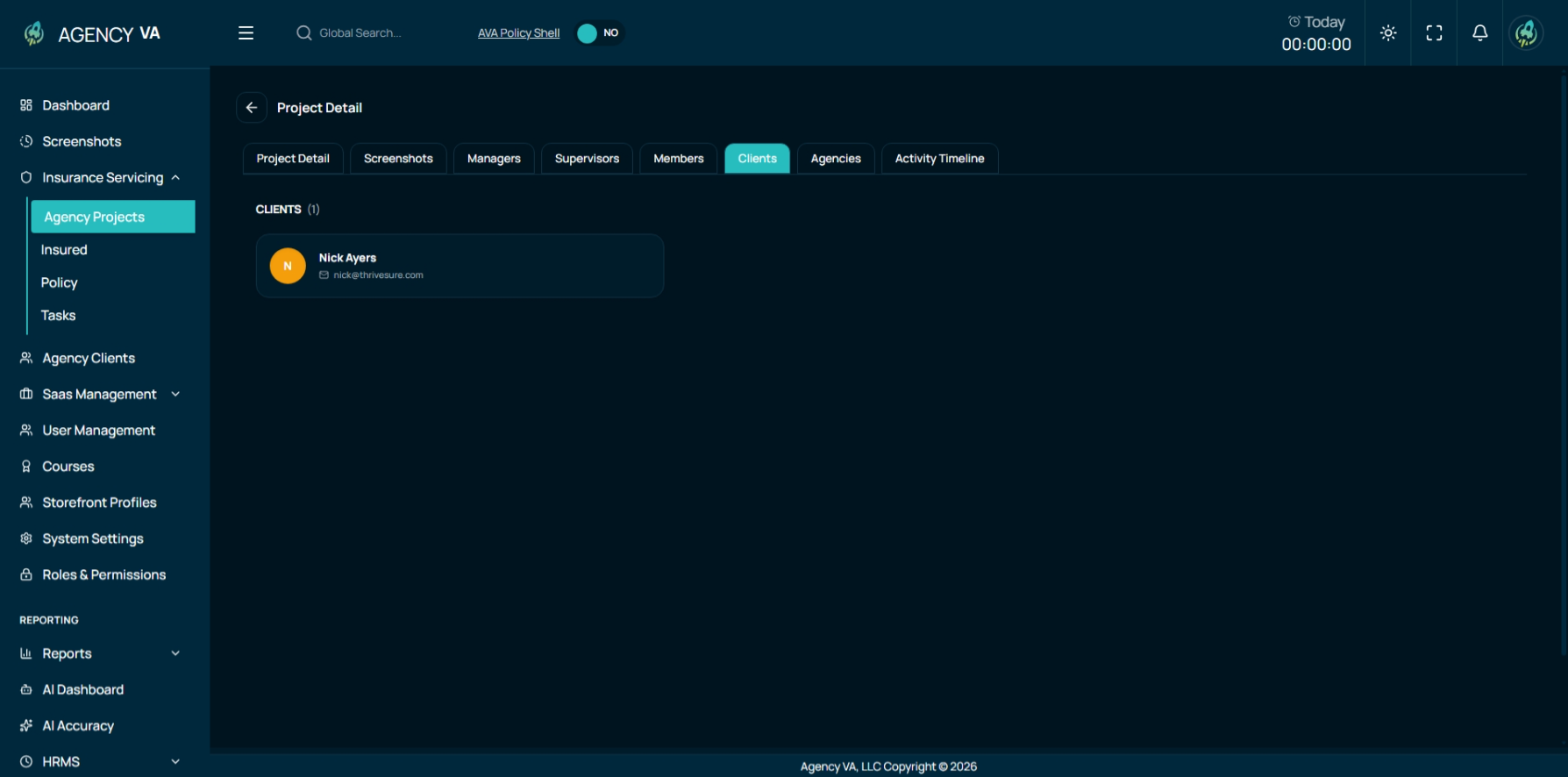
- Clients Tab: Displays associated clients in a structured card format
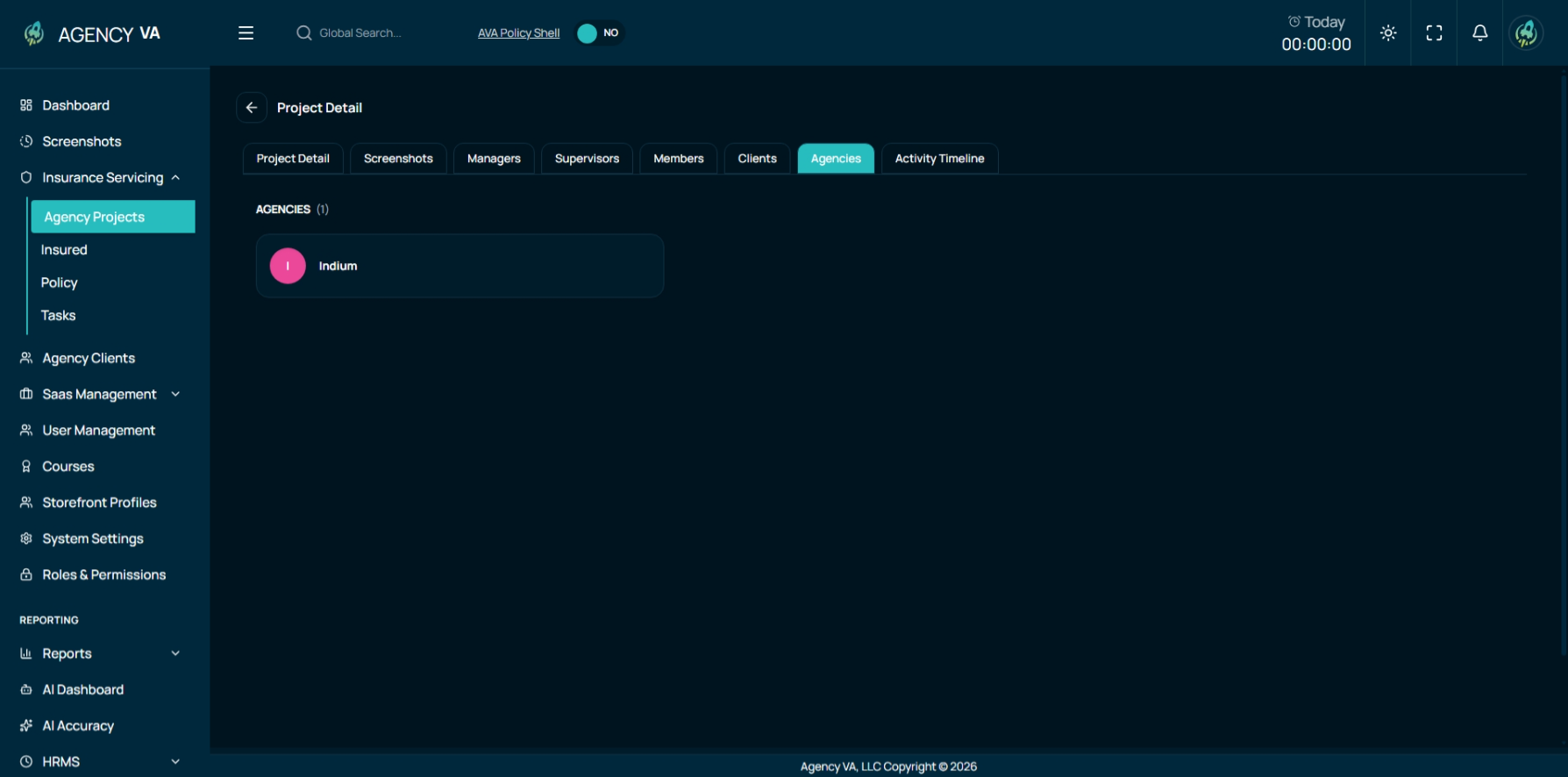
- Agencies Tab: Shows all agencies linked to the project
Insured Module
The Insured Module has been introduced to manage all insured individuals and their related data in a centralized and organized manner. This module allows users to maintain detailed records, perform quick searches, and access all related information from a single place.
At the top of the page, an advanced search filter enables users to quickly locate specific insured records. Below that, a comprehensive list displays all insured individuals along with key details such as phone number, business name, type, and status.
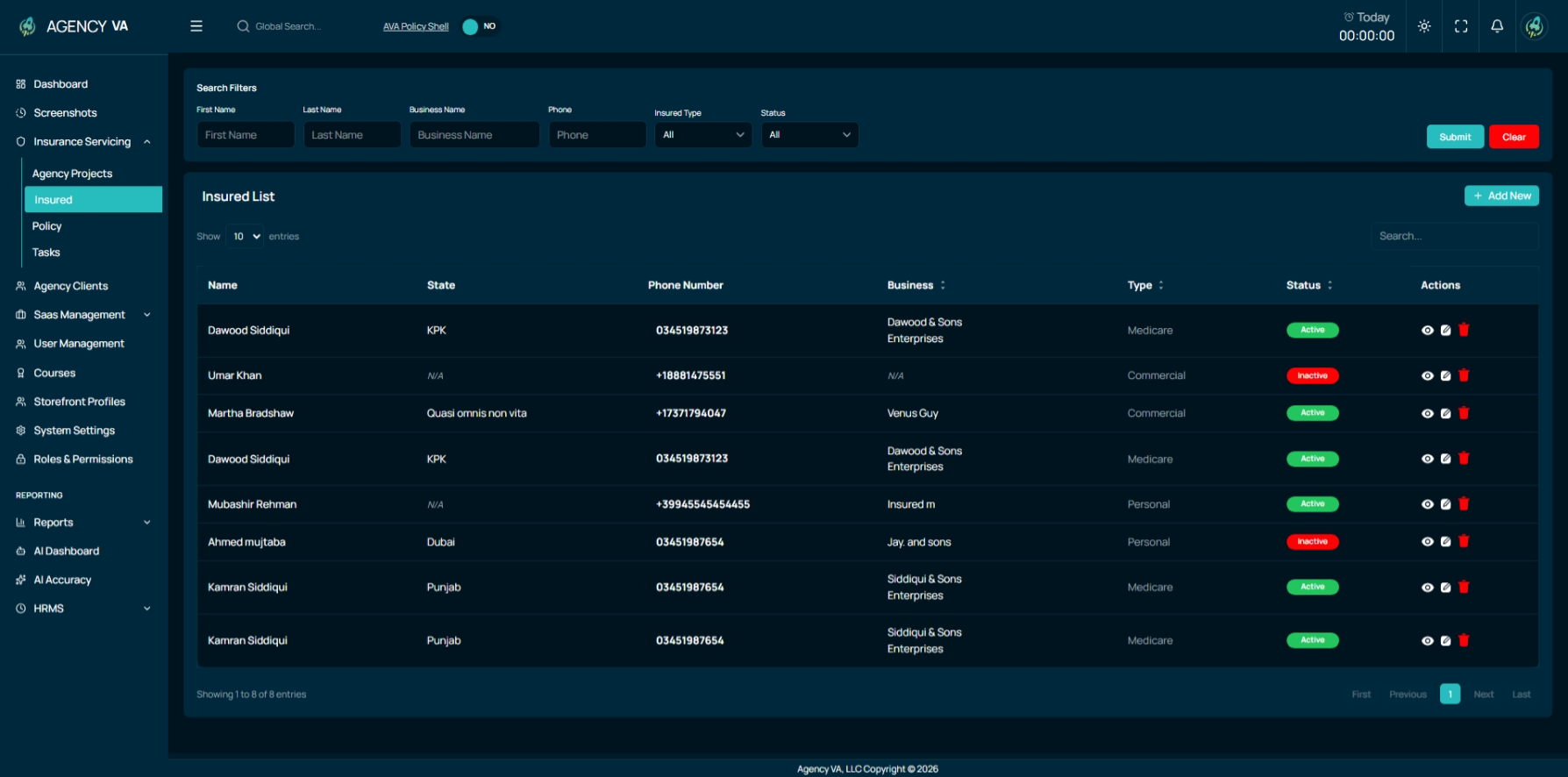
Managing Insured Records
Users can easily perform all core actions within this module:
- Add new insured records with complete details
- Edit existing insured information
- Access detailed views for deeper insights
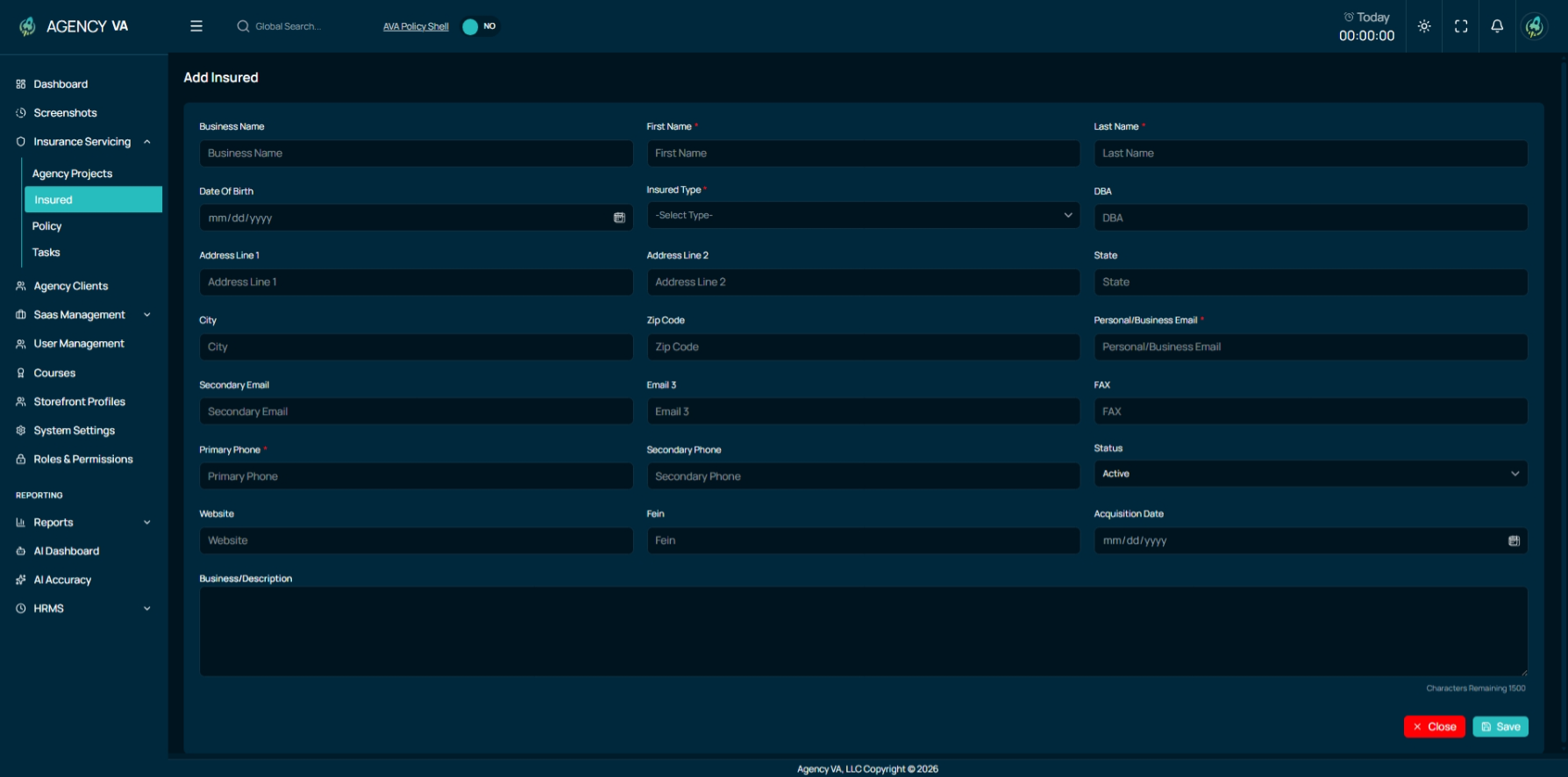
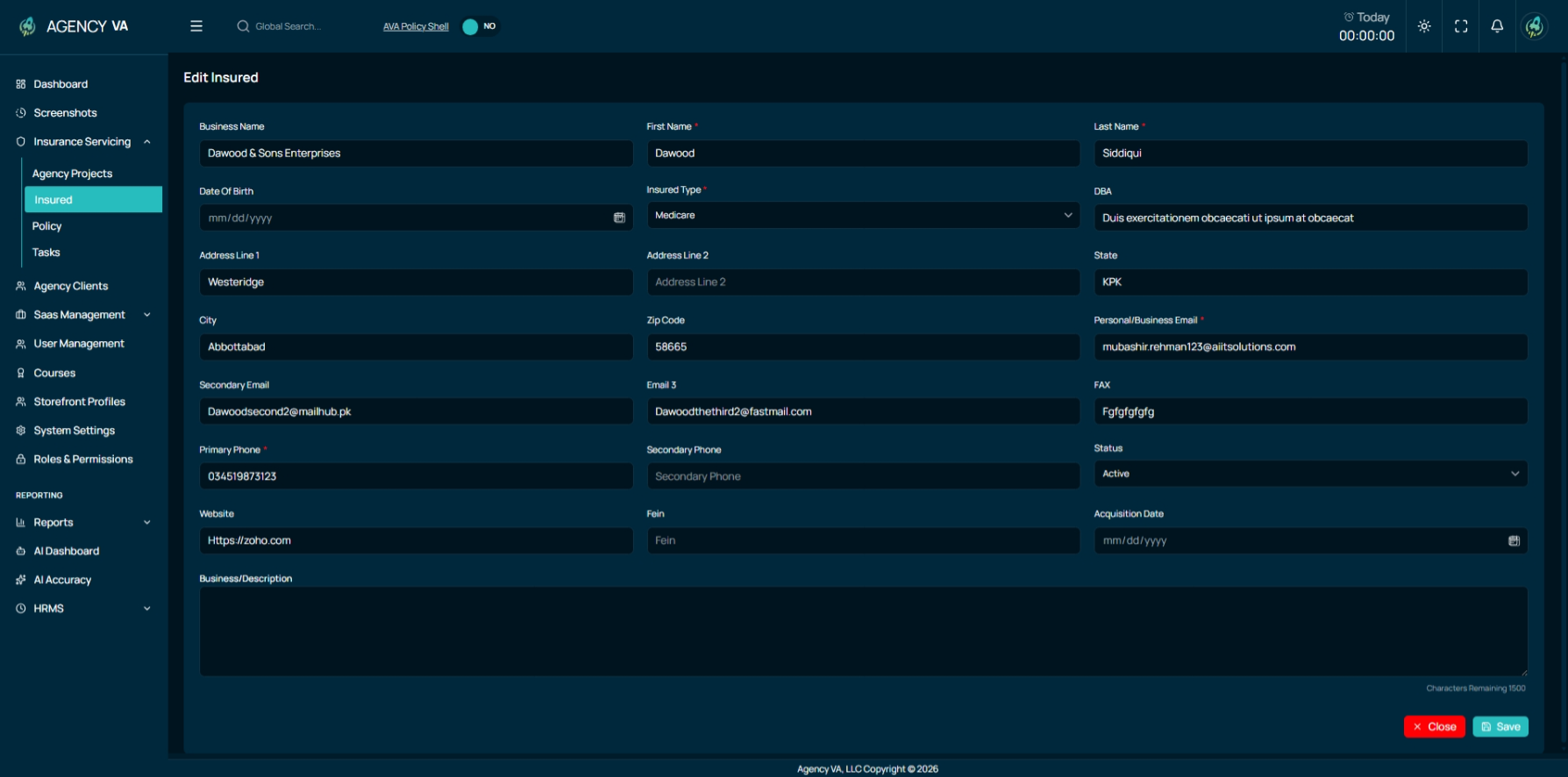
Detailed Insured View
The insured detail page is divided into multiple tabs to organize related data effectively:
Contact List Tab:
- Contains all contact persons associated with the insured. Users can also add new contacts directly within this tab.
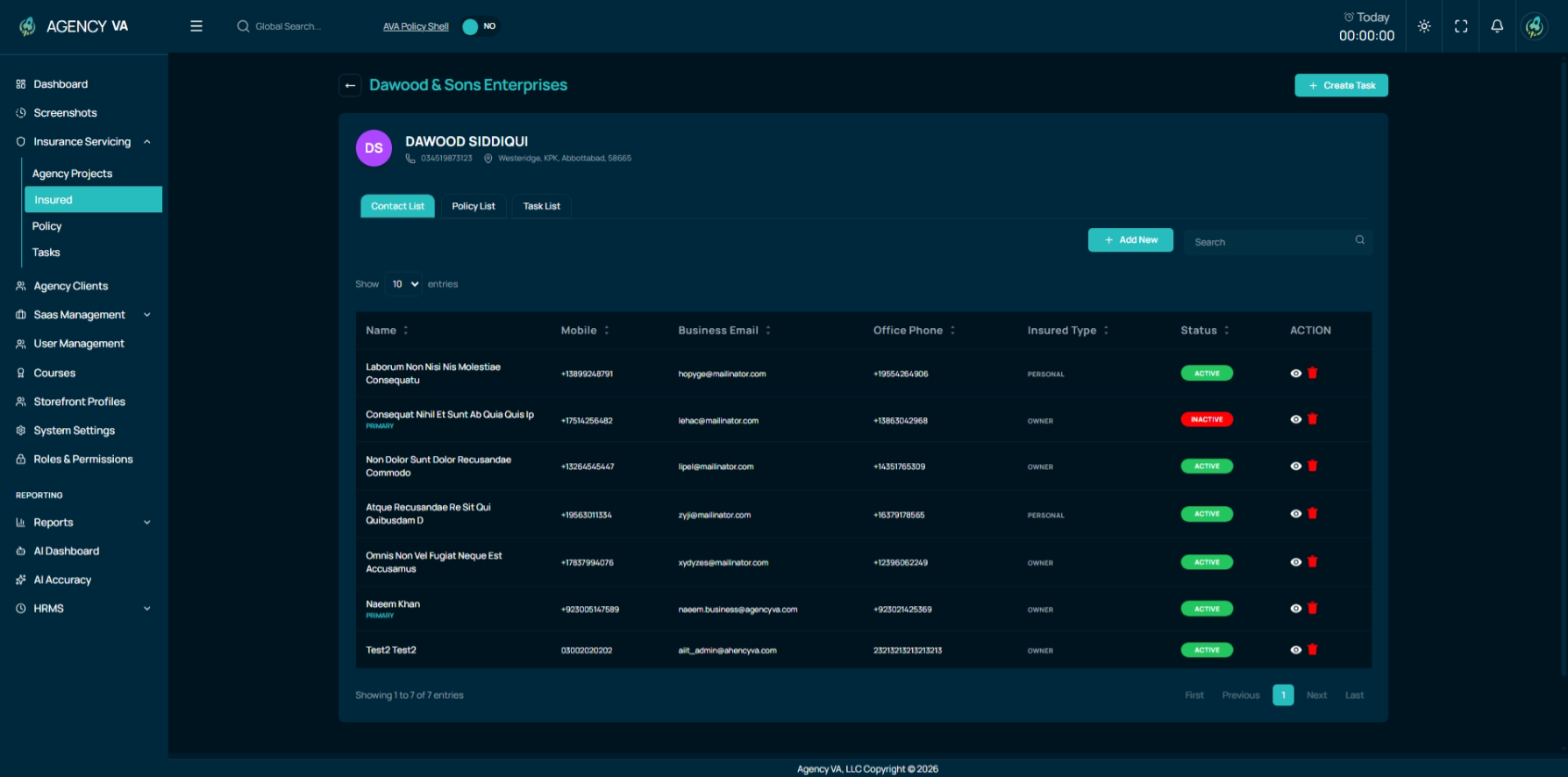
Policy List Tab:
- Displays all policies linked to the insured, providing quick access to policy-related information. This is just the frontend and don't not have any proper functionality.
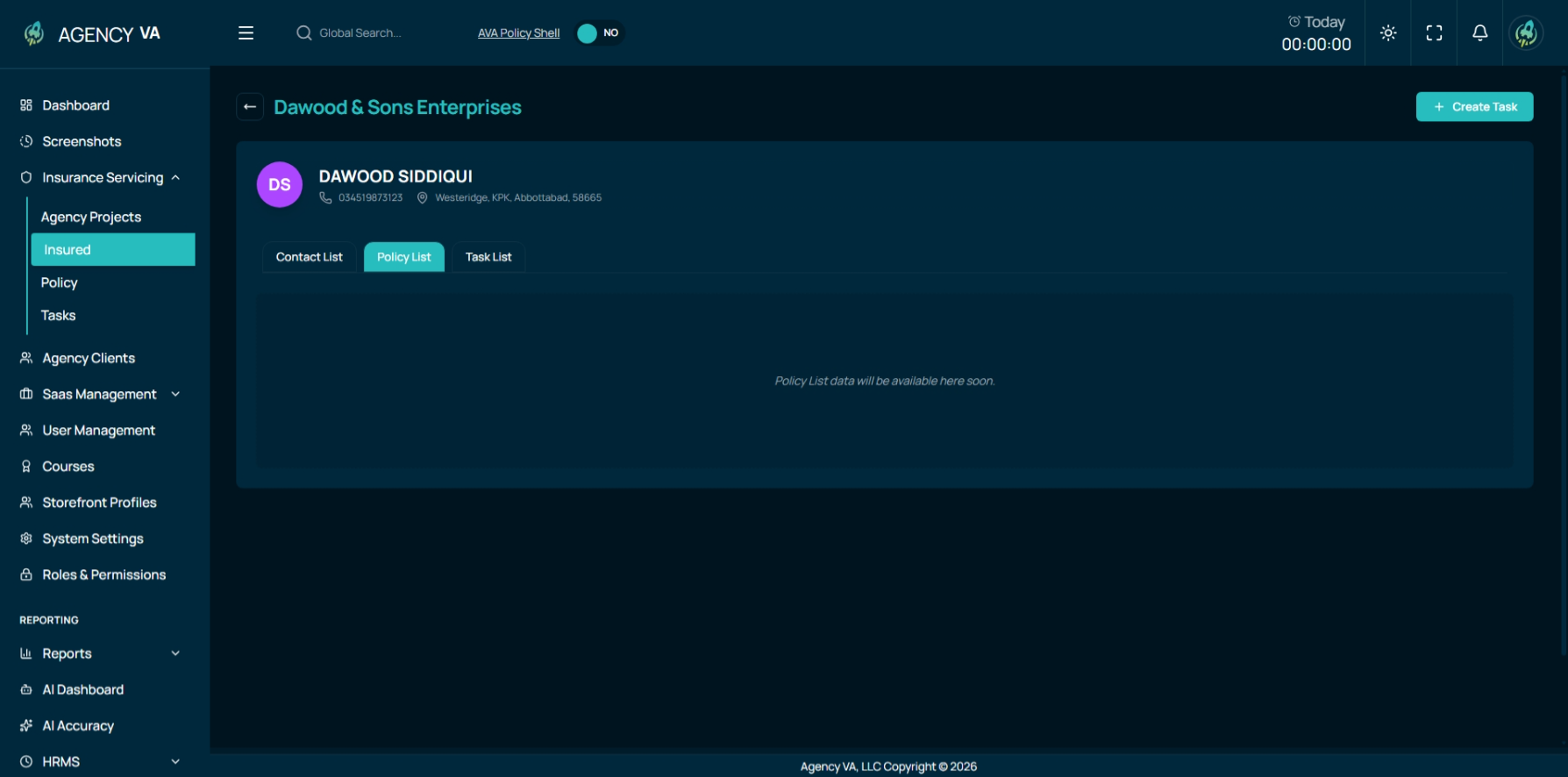
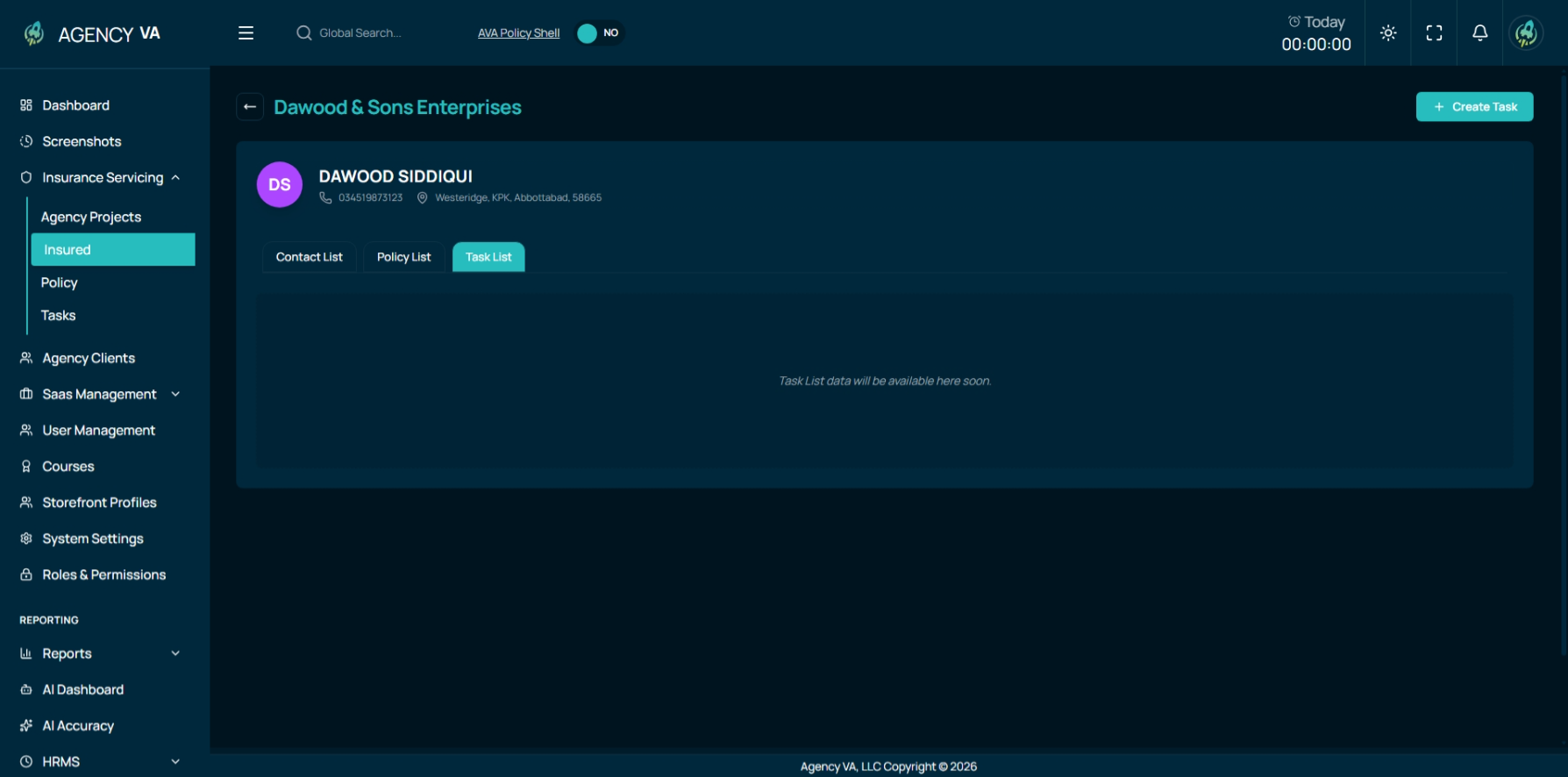
Task List Tab:
- Shows all tasks associated with the insured, helping track ongoing work and responsibilities. This is just the frontend and don't not have any proper functionality.
Policy Module
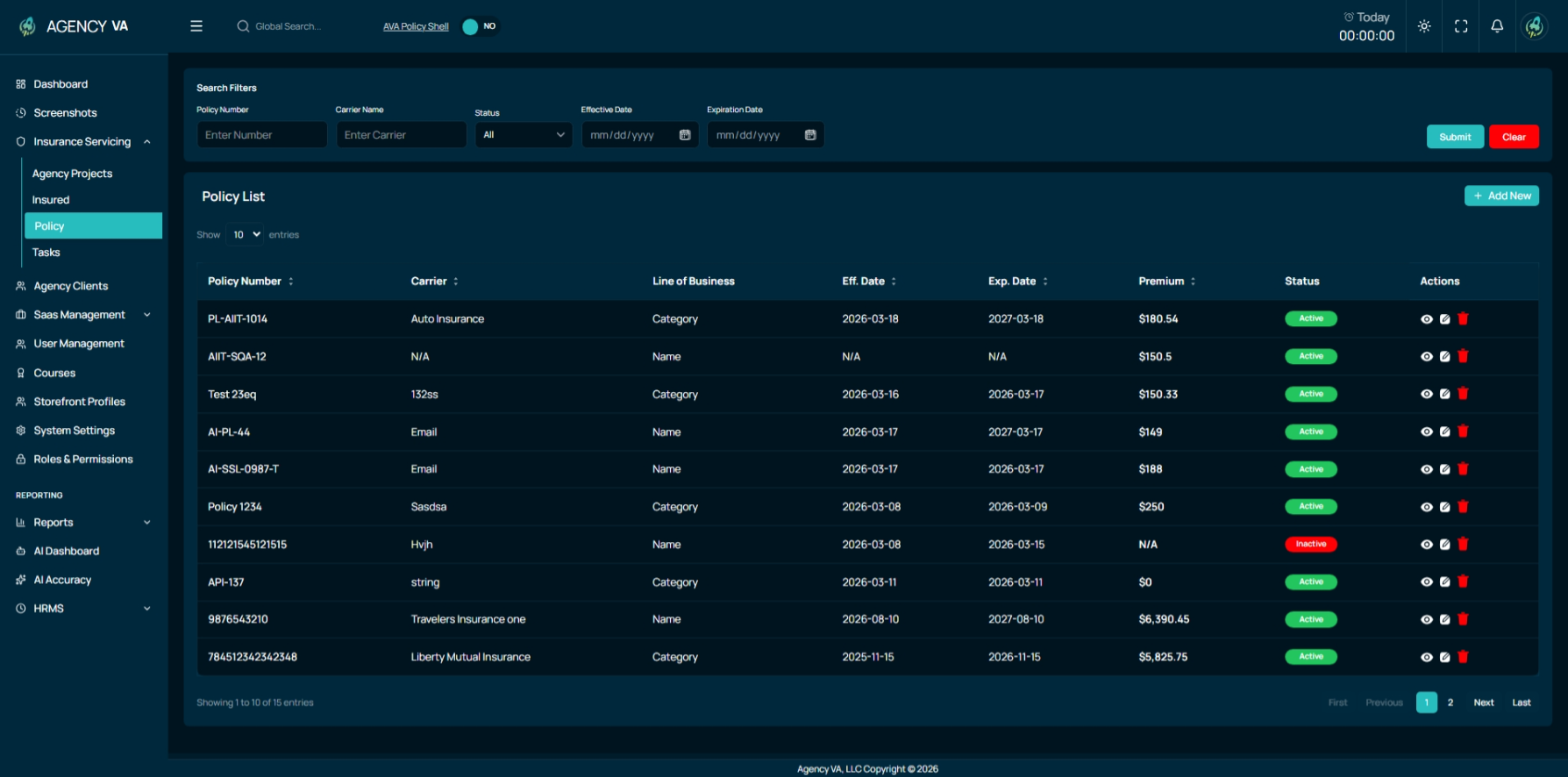
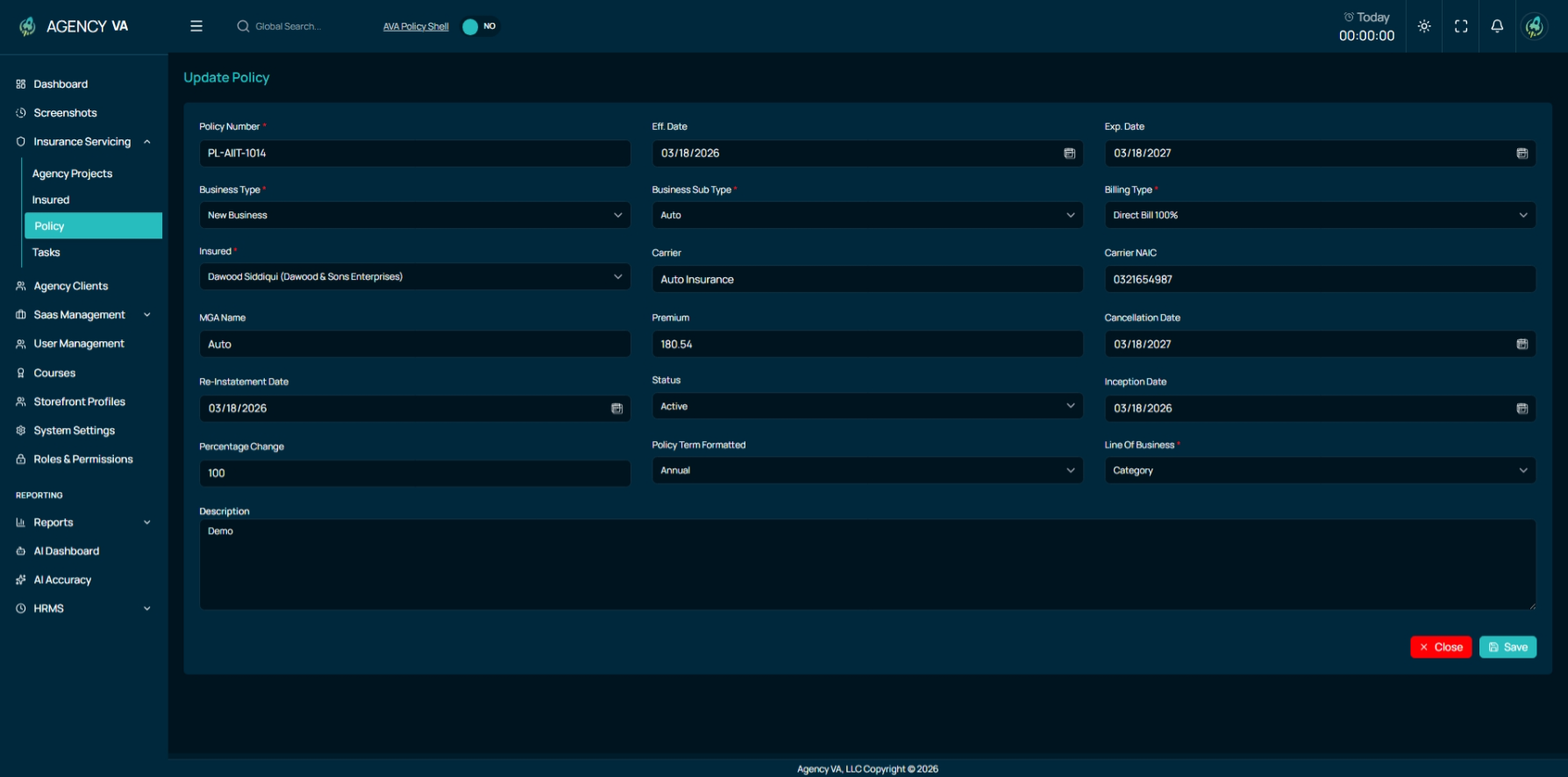
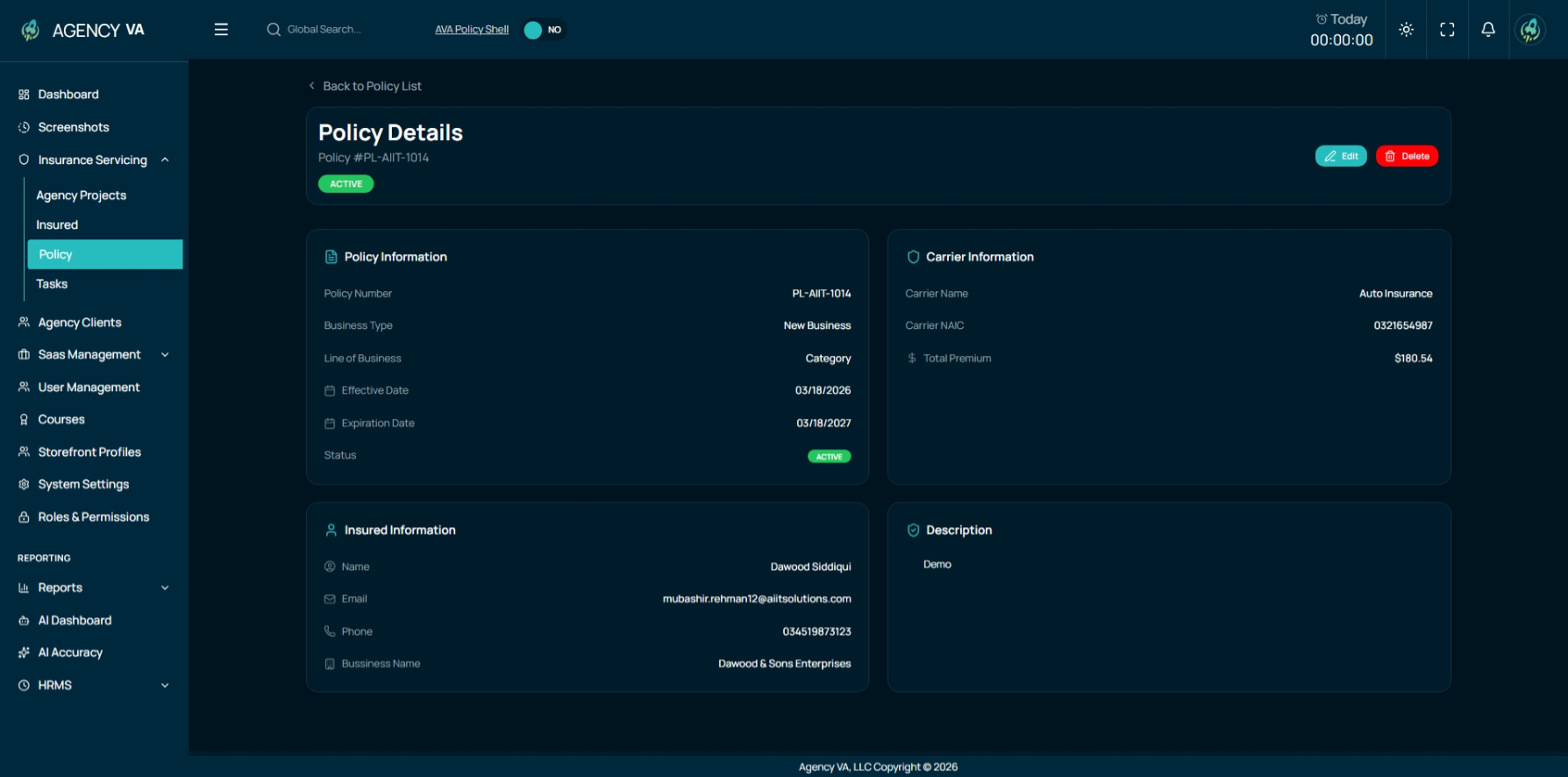
The Policy Module has been developed to manage insurance policies in a structured and efficient manner. It provides users with tools to search, view, and manage policy data from a single interface.
At the top of the module, a search filter allows users to quickly find specific policies. The policy list table displays all relevant details, including policy number, carrier, effective date, expiry date, and status.
Policy Management
Users can perform the following actions within this module:
- Add new policies with complete details
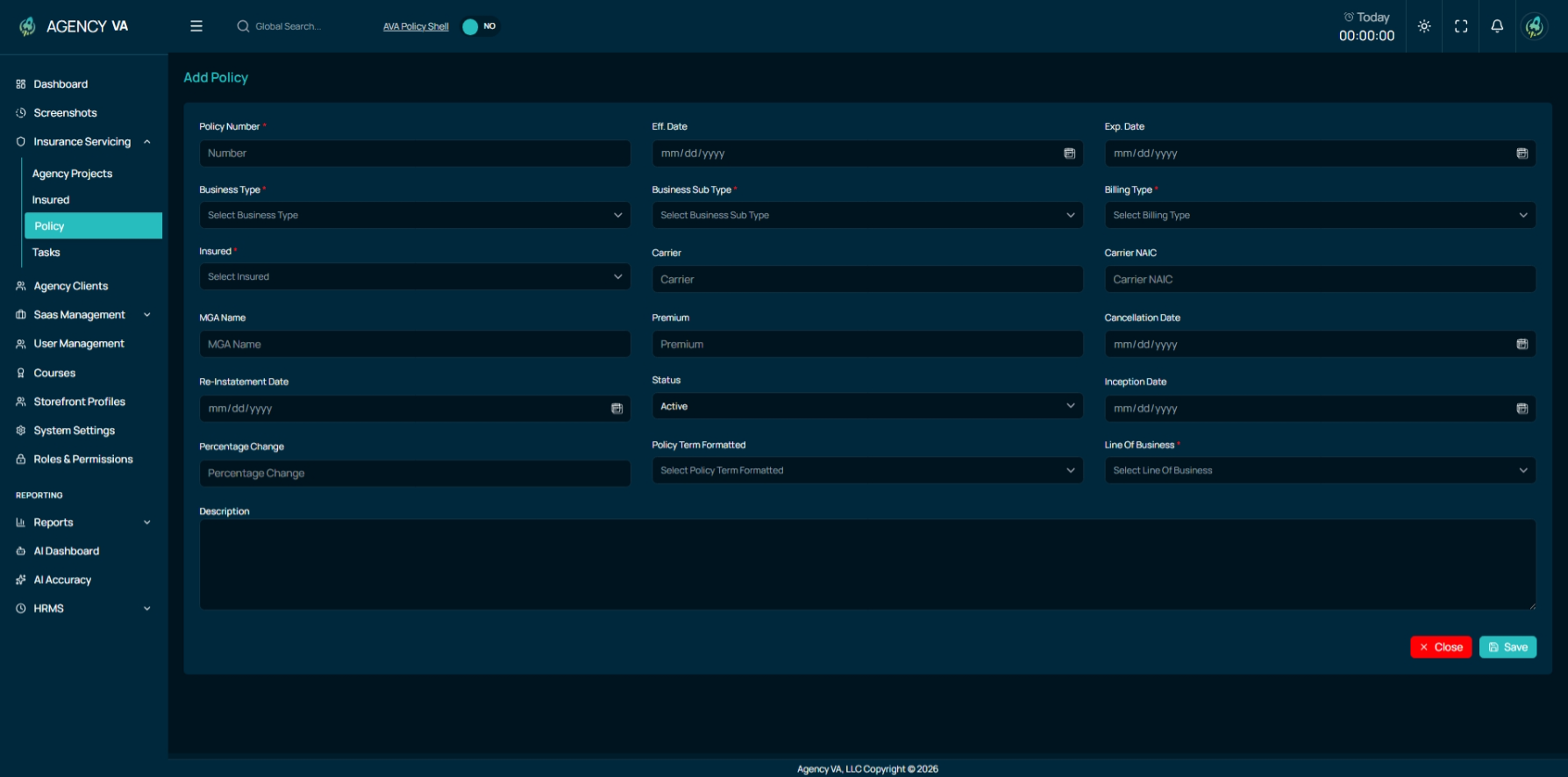
- Edit existing policy records
- View detailed policy information
Tasks Module (Insurance Servicing)
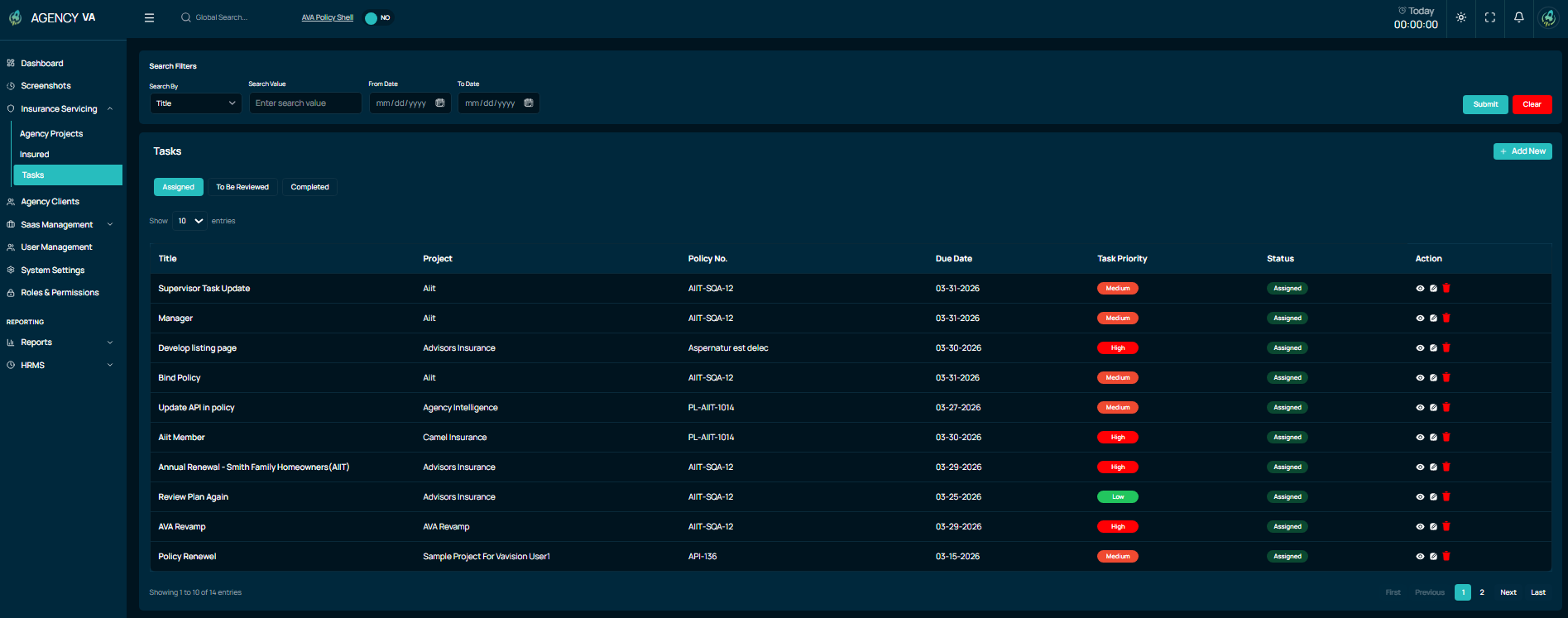
The Tasks Module has been introduced as a sub-module under Insurance Servicing, designed to help teams efficiently manage, assign, and track all project-related tasks within the system. This module ensures better visibility of work, improves accountability, and helps teams stay on top of deadlines and priorities.
At the top of the page, users are provided with advanced search filters, allowing them to quickly locate tasks based on multiple criteria such as title, notes, project, policy number, priority, status, date range, and assigned users. Below the filters, a comprehensive task list displays all tasks with key details, enabling users to monitor progress and workload effectively.
Task Organization & Tabs
Tasks are organized into three main tabs to represent different stages of progress:
- Assigned: Displays all tasks currently assigned to users
- To Be Reviewed: Shows tasks that are pending review or validation
- Completed: Contains all tasks that have been successfully completed
Each task record provides detailed information including:
- Task Title
- Project Name
- Policy Number
- Due Date
- Task Priority
Add Task
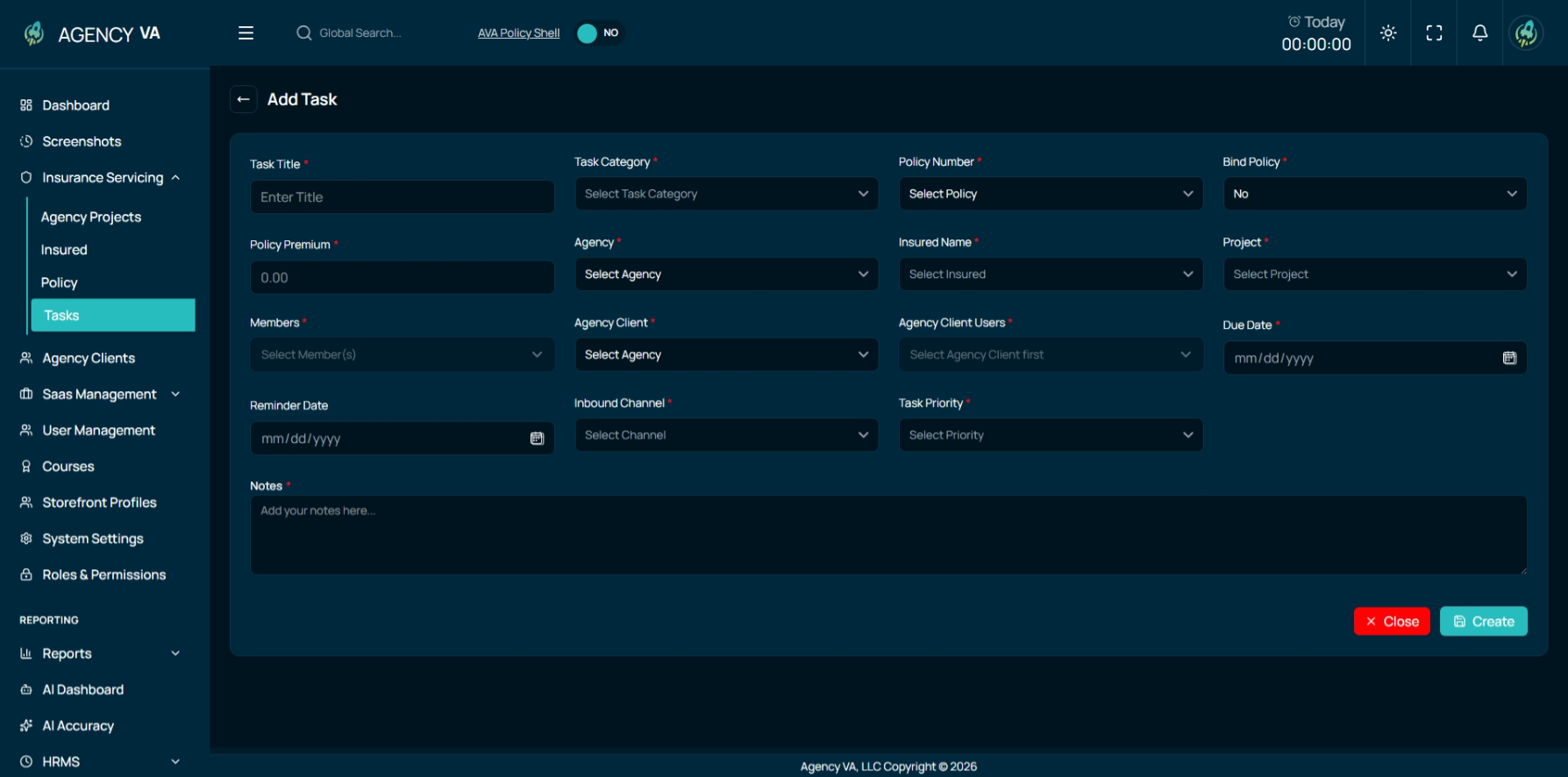
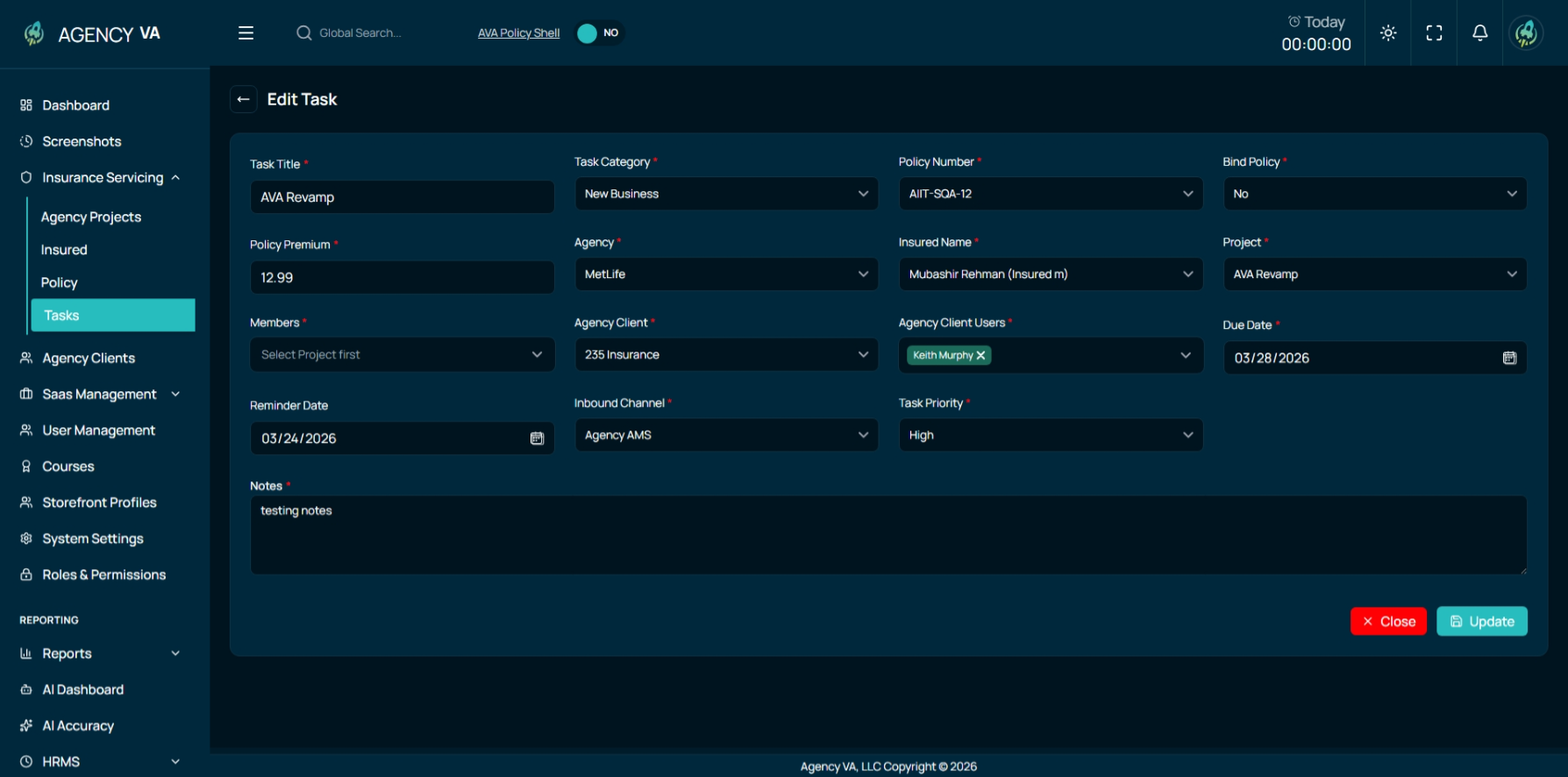
Users can create new tasks through a structured and comprehensive form. This ensures that all necessary information is captured at the time of task creation, enabling better tracking and assignment.
Edit Task
Existing tasks can be updated at any time to reflect changes in assignments, priorities, deadlines, or other task details. This ensures that task information remains accurate and up to date throughout its lifecycle.
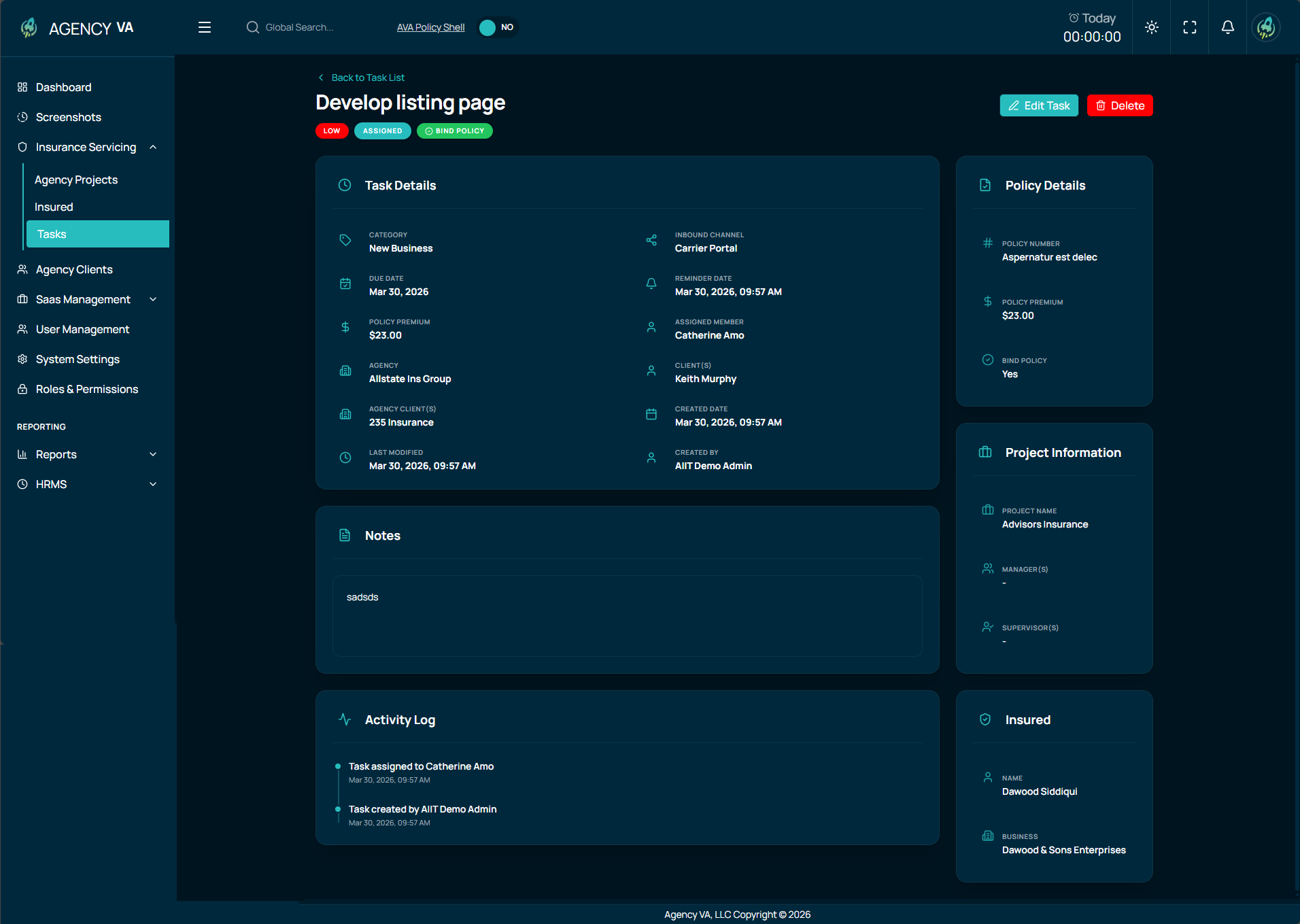
Task Management Capabilities
The Tasks module supports complete lifecycle management of tasks, allowing users to:
- Create new tasks
- Update existing tasks
- View detailed task information
- Track task progress across different stages
- Manage priorities and deadlines efficiently
This module strengthens the overall Insurance Servicing workflow by ensuring that all operational activities are properly tracked, assigned, and completed in a timely manner.
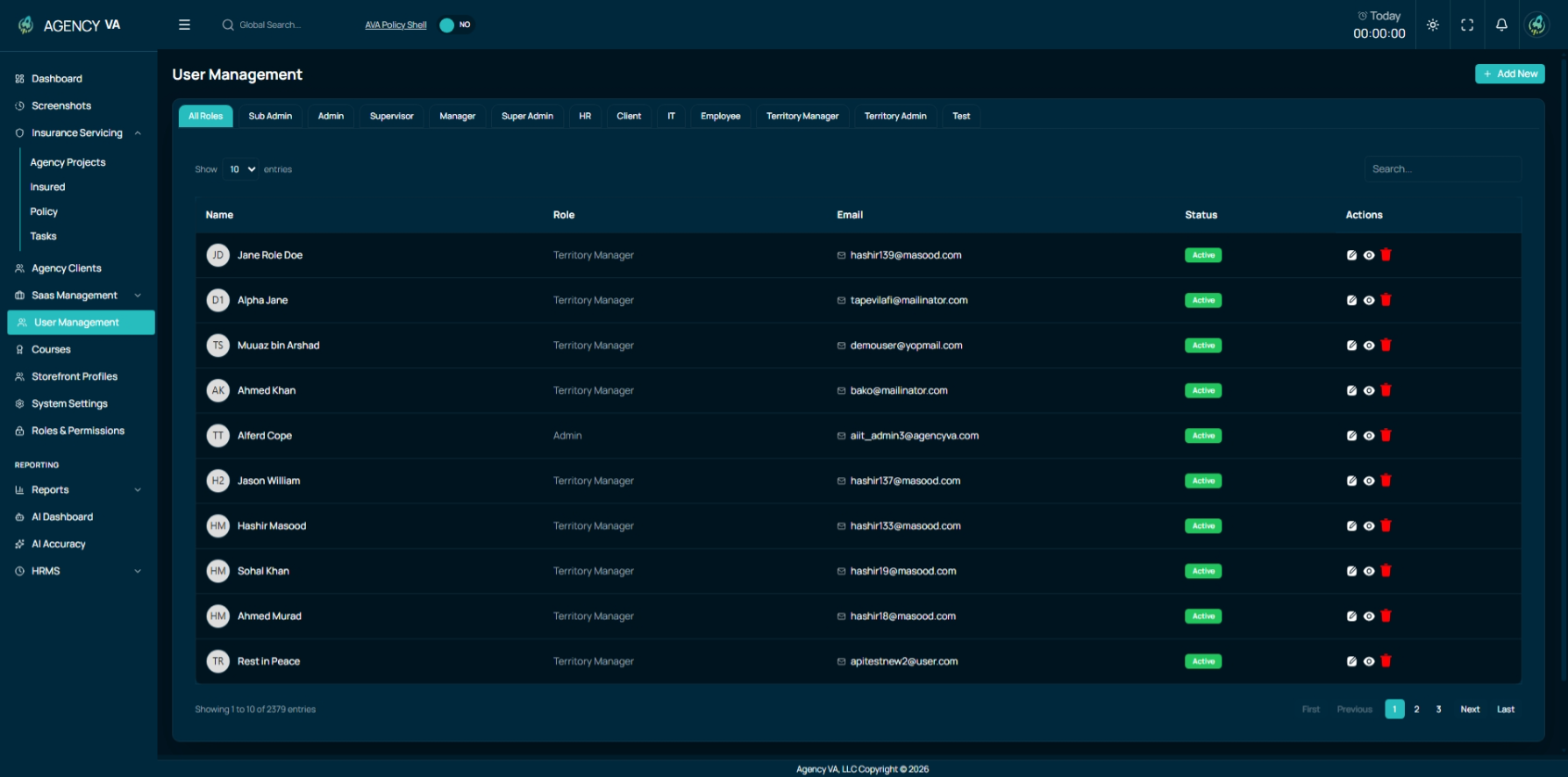
User Management Enhancements
The User Management module has been enhanced to support dynamic role-based tabs, making it more scalable and adaptable to organizational needs.
Previously, only predefined roles such as Supervisor, Manager, and Member had dedicated tabs. With this release, any new role created within the system will automatically generate a corresponding tab in the User Management interface.
This ensures that the system remains flexible and aligned with evolving role structures.
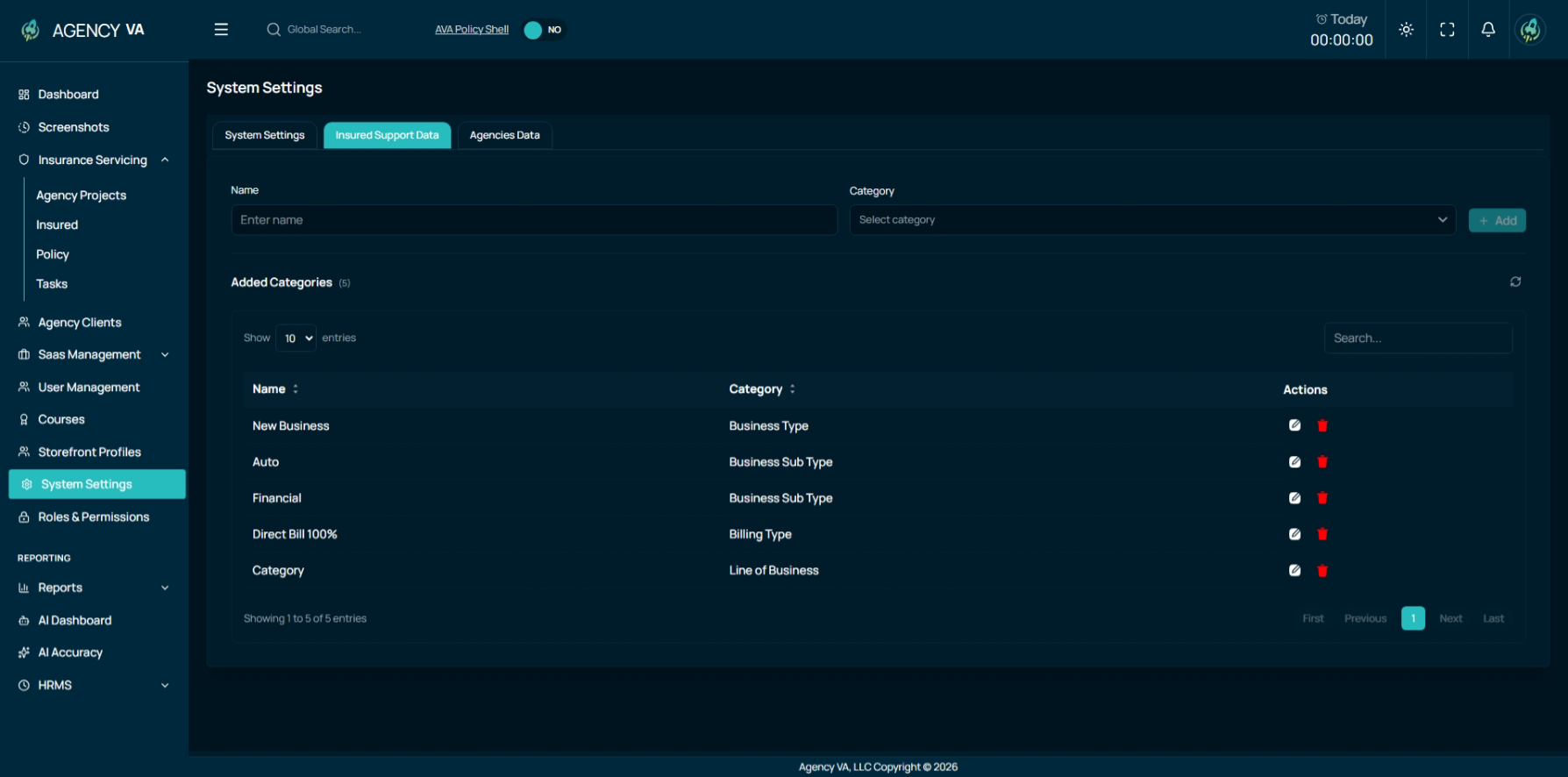
Insured & Agency Support Data (System Settings)
New reporting capabilities have been introduced to better manage supporting data for insured individuals and agencies.
Separate tabs are now available for Insured Data and Agency Data, where users can view categorized records. This module also allows users to add or delete support data directly, ensuring that the system remains clean and up to date.
Roles and Permissions
To support all newly introduced modules, the Roles and Permissions system has been expanded with additional controls.
New permissions have been added for:
- Agency Projects
- Insured Module
- Policy Module
- Support Data
These updates provide more granular control over user access and ensure that permissions align with organizational roles and responsibilities.
Two-Factor Authentication (2FA)
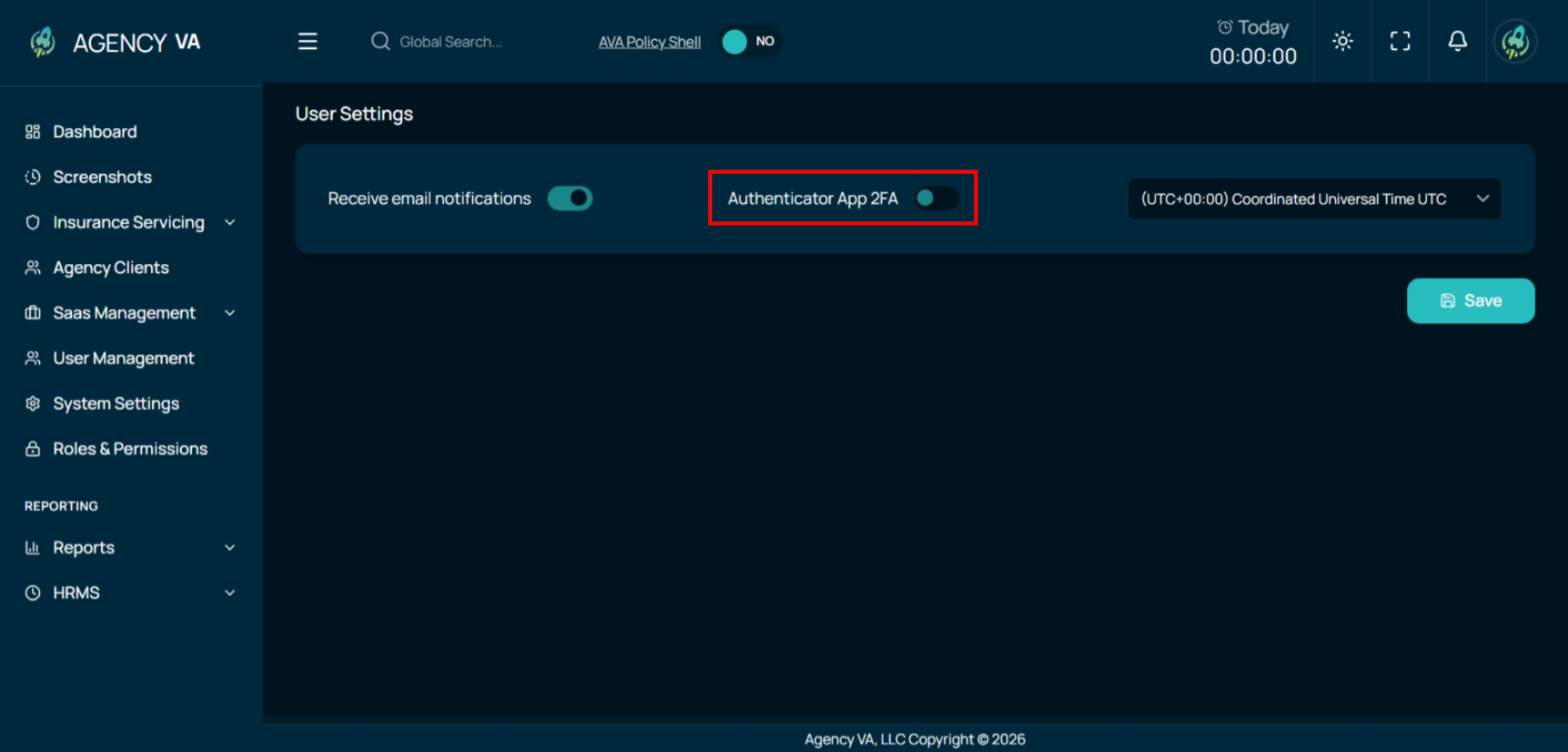
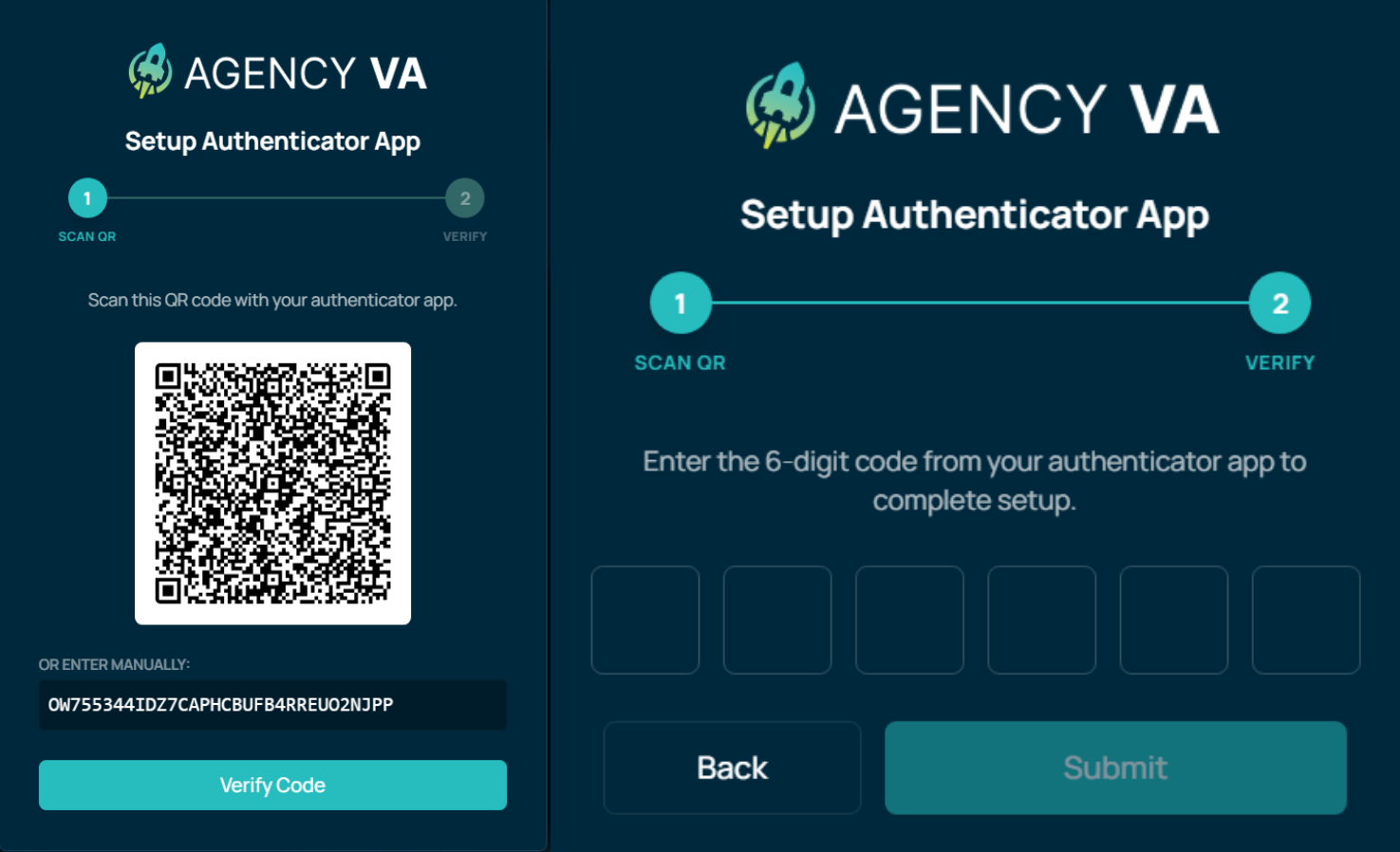
To enhance account security and protect user data, Two-Factor Authentication (2FA) has been introduced in this release. This adds an additional layer of verification during login, ensuring that only authorized users can access the system.
With 2FA enabled, users are required to verify their identity using a secondary authentication method after entering their login credentials. This significantly reduces the risk of unauthorized access, even if login credentials are compromised.
Key Highlights:
- Adds an extra layer of security beyond email and password
- Helps prevent unauthorized access to user accounts
- Easy and secure verification process during login
- Designed to improve overall system security and compliance
This feature strengthens the platform’s security framework while maintaining a smooth user experience.
AVA Vision – Maintenance
As part of the AVA Revamp, multiple maintenance tasks and system improvements have been implemented in AVA Vision to enhance performance, reliability, and user experience. These updates address reported issues, improve system behavior under different conditions, and optimize overall application stability.
Performance & Stability Improvements
- Resolved issues causing slow login and punch-out (logout) processes, including timeout errors
- Fixed API failures and request issues occurring due to network/transport instability
- Addressed “Too Many Requests” errors observed in system logs
- Improved system handling for slow or unstable network conditions
- Implemented retry mechanisms for failed requests
These improvements ensure a more stable and responsive system under real-world conditions.
Time Tracking & Calculation Fixes
- Fixed incorrect time calculations during logout, including:
- Double-counted break time
- Incorrect paid time
- Incorrect total login duration
- Resolved issues with negative timer values during offline sync after date transitions
- Fixed “Something is wrong with the time tracker” error after break and resume
These fixes improve accuracy and reliability of time tracking data.
Desktop Application Enhancements
- Improved desktop application stability and error handling
- Removed forced elevation (admin rights) requirements from installer and updater
- Updated installer to support per-user installation (no admin access required)
- Enhanced handling of offline data saving instead of unintended deletion
These updates improve accessibility, reliability, and user experience of the desktop app.
UI/UX & Functional Fixes
- Resolved issue where users were stuck on “Add Client Report Summary” page after logout
- Fixed dashboard data issues (e.g., Today’s Hours and Productivity Index not displaying correctly)
- Addressed multiple VA Vision user-reported issues and inconsistencies
These changes ensure a more consistent and user-friendly interface.