
Discription
AVA Revamp v26.4.1 – Mini Release
This mini release brings a set of Workforce Management features to the Revamp platform that were previously available in the legacy system. The scope of this release is feature parity migration and the integration of the Desktop application with Revamp.
1. User Assignment & Management
The following user management capabilities, already present in the legacy system, are now available in Revamp.
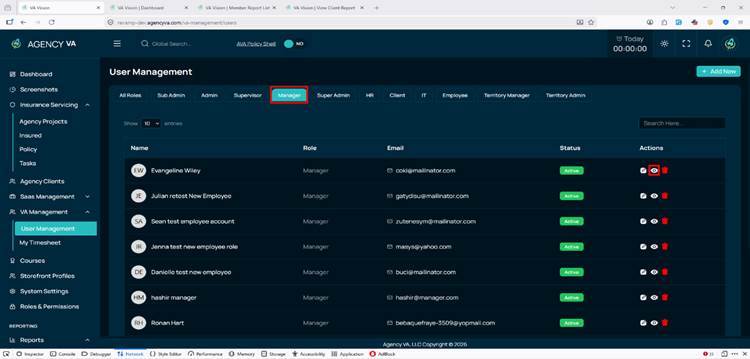
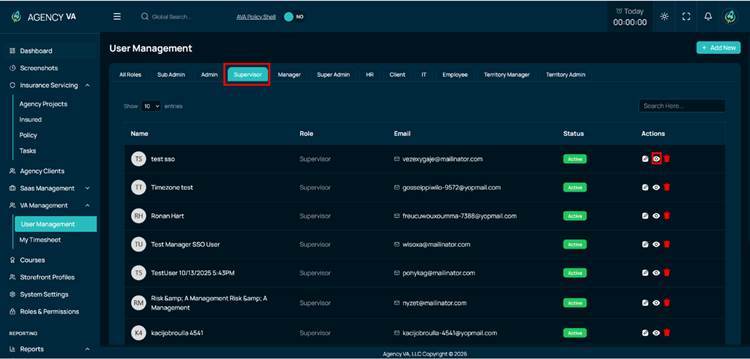
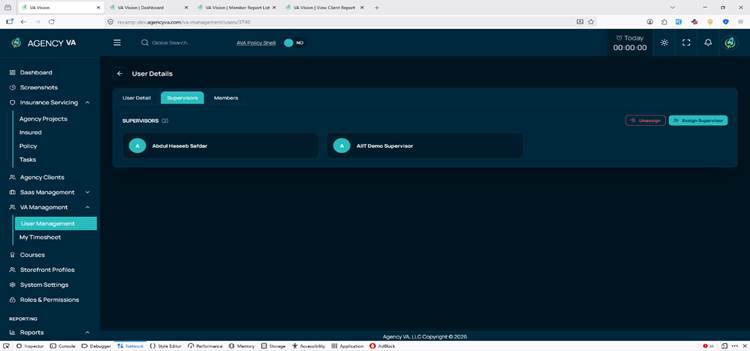
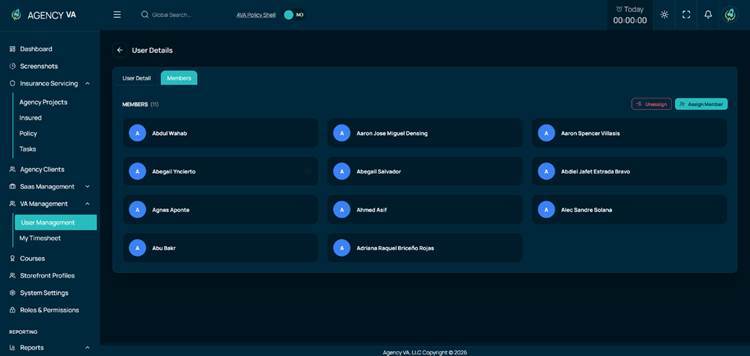
Hierarchical User Assignment
Administrators can assign members to managers or supervisors, and supervisors to managers, establishing a structured reporting hierarchy across the organization.
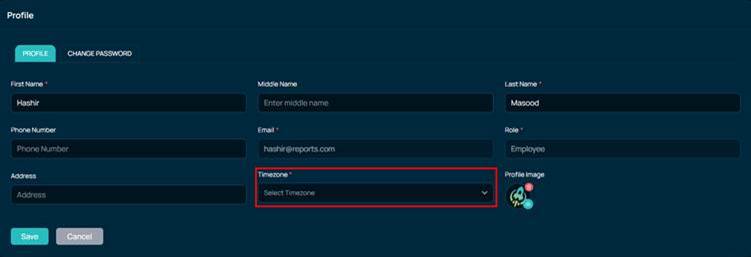
My Profile & Timezone Settings
Logged-in users can view and update their basic profile information and select their preferred timezone directly from a self-service profile page.
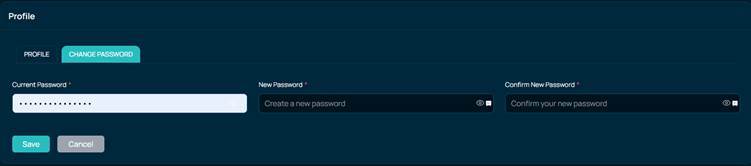
Password Management
Users can change their own password from their profile. Authorized users can also update passwords for other users directly from the user list.
Custom Screenshot Duration
Administrators can configure a per-user screenshot capture interval. This setting is stored in user preferences and the configuration control is visible only to users with the appropriate permission level.
2. Desktop Application Integration
The Desktop application is now integrated with the Revamp platform. Desktop APIs for login, time tracking, and session management are connected to Revamp in this release.
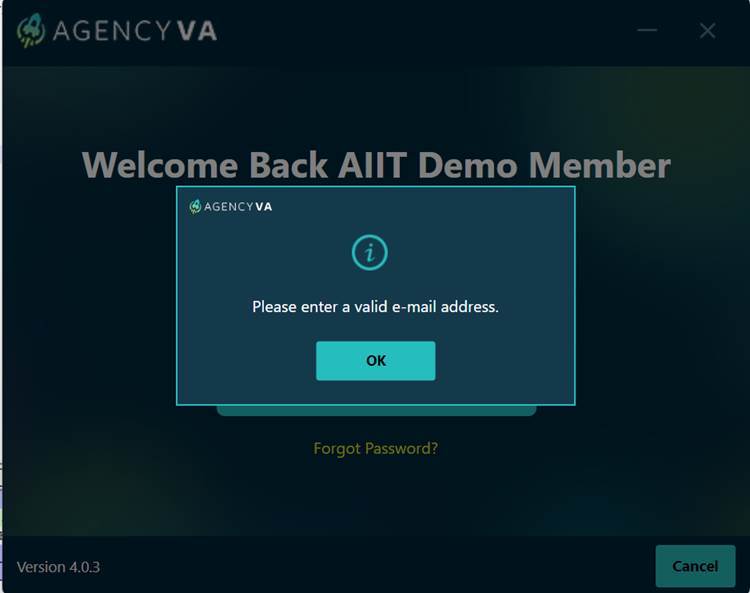
Login & Session Validation
On login, the desktop application validates against Revamp. It checks for an existing active web session to prevent duplicate logins, validates the user’s screenshot interval and timezone configuration, and returns clear, user-readable error messages in place of generic technical errors.
Time Tracking
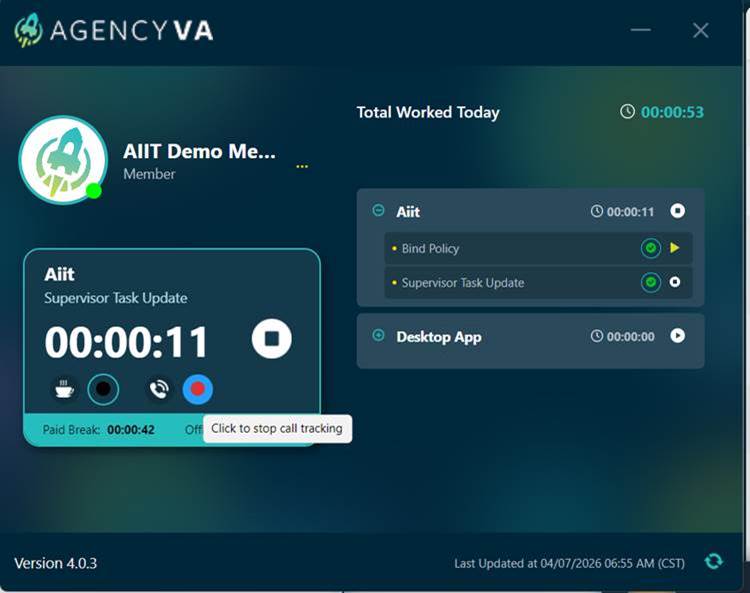
The desktop app lists all projects assigned to the user along with their tasks and today’s tracked and consumed time per project.
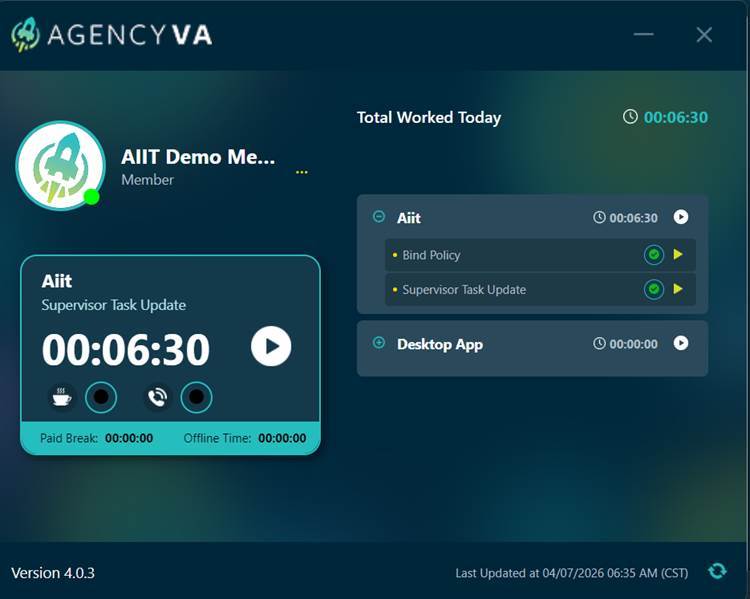
Time tracking is managed through the following statuses:
• Start – begins a tracking session for a project
• Stop – ends the active session
• Break – records a break period within the shift
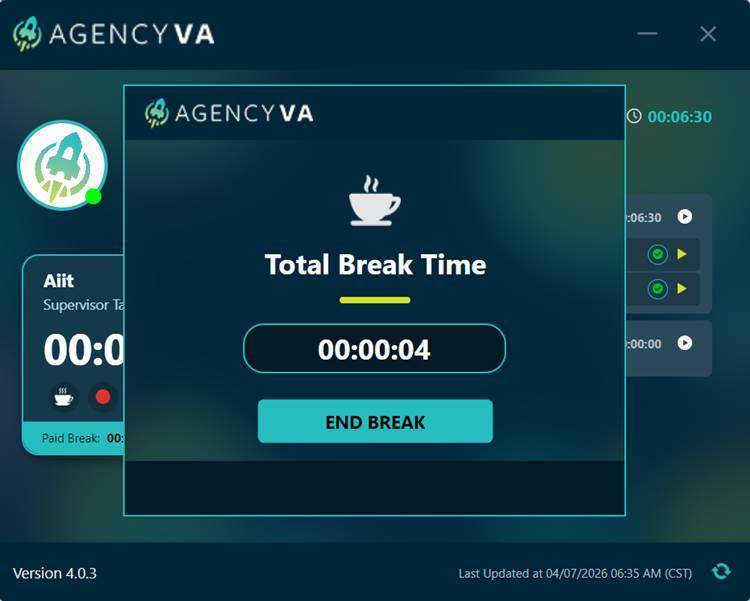
• Call Start / Call End – tracks call durations separately within a session
Logout
A dedicated logout endpoint for the desktop application allows users to formally end their session, with session data handled securely on sign-out.
Profile Image Display
Previously, the application always displayed a default avatar image for the user. With the updated API response now including a profile image, the application updates to display the user’s profile image when available. If the profile image is not present or is null/empty, the default avatar continues to be shown.
3. Punch-In & Shift Management
Shift start and time tracking controls previously available in the legacy system are now available in Revamp.
Punch-In
Users must punch in to begin a shift. Time tracking for the day can only be started after a successful punch-in, ensuring all tracked sessions are anchored to a confirmed shift start.
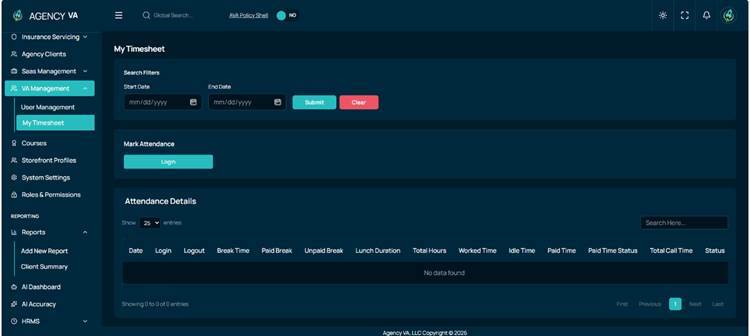
Attendance
Daily attendance details are accessible from a dedicated listing page. Users cannot log out before submitting their required project reports, enforcing a complete end-of-shift workflow.
4. End-of-Shift Reports
The end-of-shift reporting workflow – including project reports, client reports, and report management – is now available in Revamp, consistent with the legacy system.
Mandatory Report Submission
If time tracking was active during a shift, users must complete the following before punching out:
• Submit a Project Report covering all tracked work for the session.
• Submit a Client Report after project reports have been finalised.
Report Details & Comments
Report submissions display a breakdown of call time, work time, and break durations. Users can attach a comment to any project report entry using the information icon in the report list.
Report Update
Authorised users can update a submitted report after initial submission to correct or adjust recorded information.
Overall Report Listing
A centralised report listing page provides a consolidated summary of all reports with calculated time data and a detailed breakdown popup per entry.
Call Durations
Call durations recorded against a specific report can be listed in a granular breakdown view.
5. Screenshots & Client Visibility
Screenshot management and client approval controls from the legacy system are now available in Revamp.
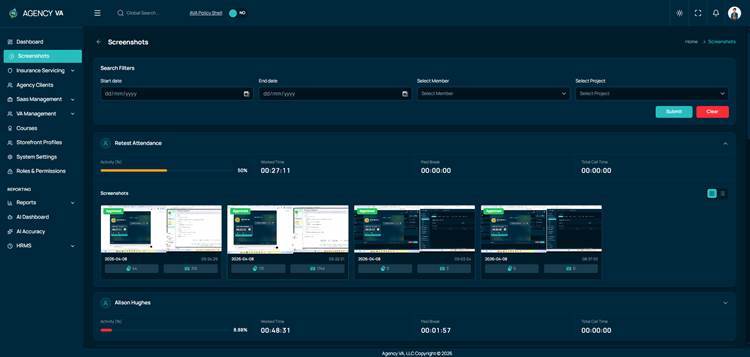
Screenshots Viewer
Administrators, supervisors, and managers can access a screenshot listing filtered by date range, member, and project, with full pagination support. The viewer includes zoom-in, zoom-out, and slider navigation.
Client Screenshot Approval
From the Client Summary, managers can approve multiple or all screenshots in a single action. Each screenshot can be marked as Visible to Client or Not Visible to Client, giving managers precise control over what is shared before a report is submitted.
AVA Revamp v26.4.1a – Incremental Release
This incremental release follows the v26.4.1 Mini Release and covers items delivered to UAT between 14 and 16 April 2026. It includes fixes and enhancements carried forward from the previous sprint cycle, the rollout of role-based dashboards, and the resolution of several support tickets.
1. Carry-Forward Fixes & Enhancements
The following items, pending from the previous sprint cycle, have been resolved and deployed to UAT:
• Idle time is now tracked correctly on the Attendance page, ensuring accurate time records.
• Paid time is now calculated correctly and no longer includes call time.
• The desktop application now runs more smoothly and syncs reliably with the web platform.
• A Policy dropdown is now available when creating tasks, making task setup easier.
• The 422 error on punch-out has been fixed. Users can now punch out without errors, even when idle time exceeds 100 hours.
• Screenshot intervals are now properly managed and can be configured to different values for different users, improving monitoring flexibility.
• Administrators can now change user passwords directly within the system.
• The report submission issue on web has been resolved. Users can no longer submit a report while the desktop application timer is still running – the timer must be stopped before submission is allowed.
• Users can now log in regardless of whether their email address is entered in uppercase or lowercase.
• Clients can now correctly view the tasks related to their projects without any issues.
2. Role-Based Dashboards
Role-specific dashboard views, originally planned as part of the v26.4.1 Mini Release, are now live on the Revamp platform. Each role receives a dashboard tailored to their responsibilities.
Dashboards Now Available
Dashboards for the following roles have been deployed: Admin, Manager, Supervisor, Member, and Client. Each dashboard presents the information most relevant to that role – from high-level platform activity for administrators, to personal performance snapshots for members and approved client-visible data for clients.
3. Support Ticket Resolutions
The following support tickets raised by the AIIT team have been addressed in this release.
Two-Factor Authentication (Ticket #AIITSupport-5978)
The reported issue with two-factor authentication has been fixed. Users can now complete the 2FA flow without interruption.
New User Creation Requirement Update (Ticket #AIITSupport-5976)
The requested update to the new user creation requirements has been implemented, bringing the user onboarding flow in line with the latest guidance.
Login Issue (Ticket #AIITSupport-5977)
The reported login issue has been resolved. Affected users are now able to sign in to the platform without difficulty.
4. 13 Hours Query
The 13 Hours Query has been successfully implemented and is now available on UAT for review.
AVA Revamp v26.4.1b – Incremental Release
This incremental release follows the v26.4.1 Mini Release and delivers a set of new reporting views, a refreshed look with theme options, and a number of fixes.
1. Reports Module – Listing Views
In this release, the listing views for Member Reports and Project Reports are now available on the platform.
Member Reports – Listing View
A dedicated page where administrators, managers, and supervisors can view reports submitted by team members in one organised list. This makes it easier to review member activity without having to search across multiple pages.
Project Reports – Listing View
A consolidated page that brings all project-level reports together, allowing administrators, managers, and supervisors to browse reports project by project for a clearer view of progress across the portfolio.
Please note: The Member Reports and Project Reports pages currently include the listing view only. Additional capabilities – such as search filters, editing of specific fields, CSV export, and direct approval from the listing – will be delivered in upcoming releases.
2. Application Theme Options
The Revamp platform now supports both Light Mode and Dark Mode, allowing users to personalise their viewing experience.
Light Mode & Dark Mode Themes
Users can now choose how the application is displayed by switching between a bright Light Mode for daytime use and a softer Dark Mode for low-light environments. The selected theme is remembered for subsequent sessions.
3. Fixes & Improvements
The following fixes and improvements are included in this release.
Supervisor Role Display in Desktop Application
A ticket was received reporting that an employee with a Supervisor role was being shown as a Member within the desktop application. This has been resolved – the desktop application now correctly reflects the user’s actual role, ensuring role information is consistent between the web platform and the desktop client.
General Bug Fixes
A number of smaller issues reported during the previous sprint cycle have been resolved in this release, contributing to a more stable and polished experience across the application.
AVA Revamp v26.4.1c – Incremental Release
This release moves Sprint 26.4.1c into UAT with the completed sections of the Reports module, VA Management, My Reports, and the Client-side reporting views. The current flow has been compared with the legacy AVA platform to ensure alignment, and UAT feedback will be used to identify any remaining functional gaps or business-flow refinements. There are known issues in some areas, but no major blockers or crash issues that would prevent UAT progress; fixes for those will continue in parallel.
1. Reports Section
The centralised Reports section, introduced in v26.4.1, has now been expanded with three fully functional report views for administrators, managers, and supervisors.
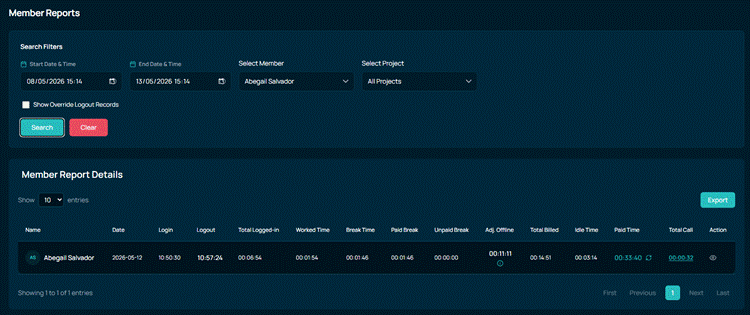
Member Reports
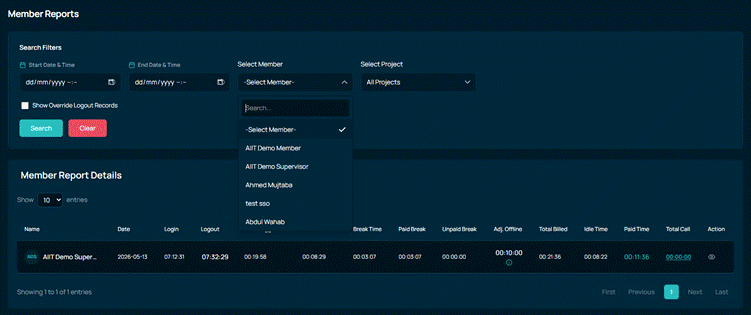
Authorised users can browse member reports with filters for date range, project, and member, view full report details, and export listings to CSV. Authorised users can also update Paid Time on a report, with an activity history showing who updated and approved the value. An Override Logout option is available so authorised users can correct the logout time when a member has mistakenly logged out after submitting their End-of-Day report.
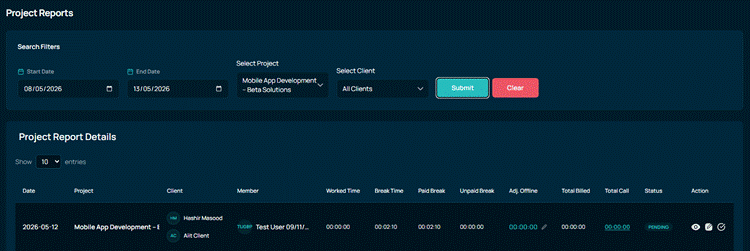
Project Reports
Administrators, managers, and supervisors can approve project reports directly from the listing, update report details, and adjust the Adj. Offline Time with a mandatory reason. A dedicated Offline History view shows previous adjustments together with the user, approver, and status of each change, and updates to Adj. Offline Time are reflected automatically in the Total Billed Time.
Client Summary
A new Client Summary page is available under Reports, allowing managers and supervisors to filter activity by client and date range. Approved project reports flow through to the Client Summary, and a dedicated viewer is available for reviewing member screenshots before they are shared with the client.
2. VA Management
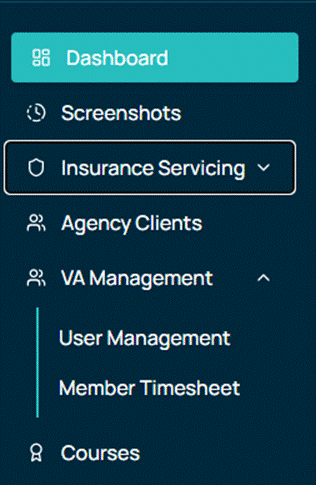
VA Management gains a dedicated view for managers and supervisors to review attendance and report data for the members reporting to them.
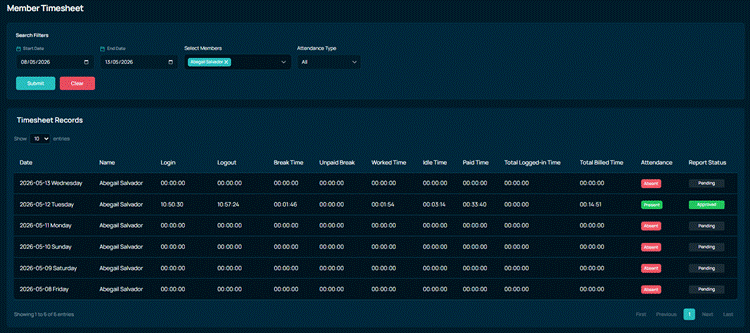
Member Timesheet
The Member Timesheet page allows managers and supervisors to view a member’s timesheet across a specific time frame, with filters for date range and attendance type. Members without a submitted report for a given day are shown as absent, and the page supports correcting login time where required.
3. My Reports
Members now have a personal reporting view inside the platform for tracking their own submissions.
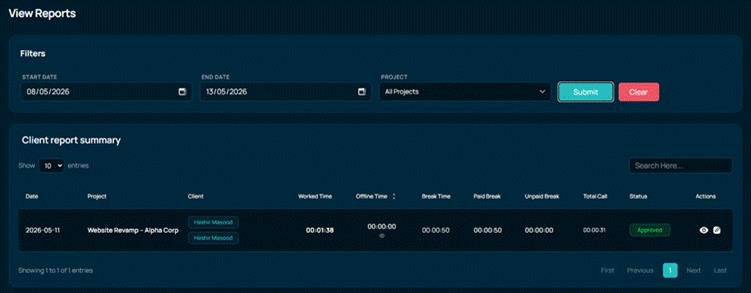
View Reports
Members can browse their own previously submitted reports under My Reports → View Reports, and open any report to see the full details. Where a report has been submitted but not yet approved, the member can update it through the edit flow.
4. Client-Side Reports
Clients now have dedicated reporting views inside their portal, giving them direct visibility into the work delivered against their projects.
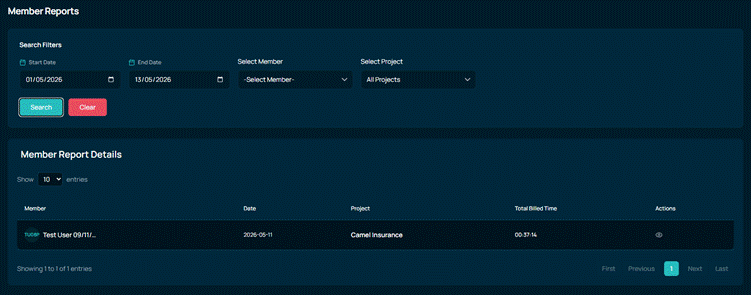
Member Reports (Client)
A Member Reports listing is available in the client portal, showing reports submitted by the members working on the client’s projects. A detailed report view is available alongside the listing for deeper inspection.

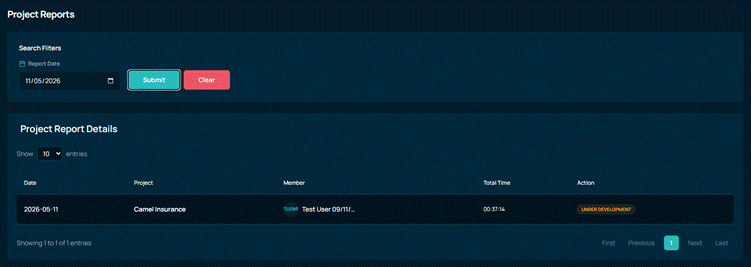
Project Reports (Client)
Clients can browse Project Reports for the projects assigned to them and open a detailed view for any individual report. Filtering by date range and project is supported, and only the projects belonging to the logged-in client are shown.
6. Fixes & Improvements
The following fixes and improvements are included in this release.
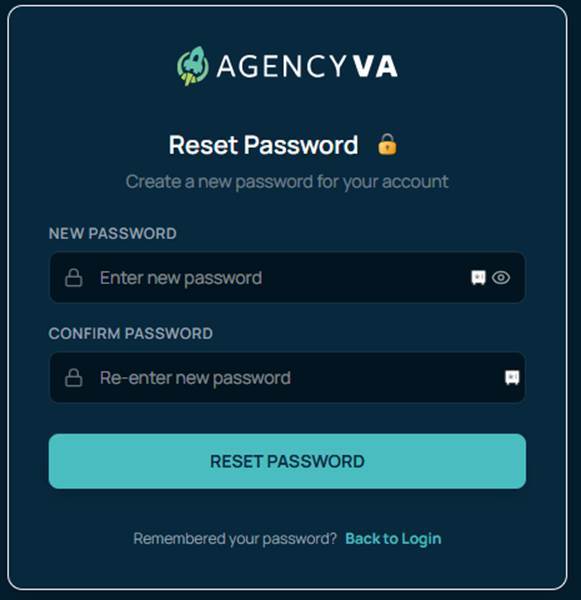
Forgot & Reset Password
The Reset Password page is now reached correctly after OTP verification. Previously, users were being redirected to a 404 page; they can now complete the password reset flow without interruption.
Role-Based Report Visibility
Managers and supervisors now see only the reports of users assigned to them. Full visibility across all reports remains available to administrators. Additionally, the “My Timesheet” option is no longer shown to Admin and Client roles, since it does not apply to them.
Attendance Timer & Session Handling
Several attendance and timer issues have been resolved: the attendance timer is now user-specific and no longer carries over between users, it persists correctly after page refresh, and updates in real time as soon as a user punches in. The web timer now stays in sync with the desktop application without requiring a manual page refresh.
Desktop Application Login Validation
Login validation between the desktop application and the web platform has been corrected. Users now receive accurate messages such as “Please login on web first” or “You have already logged out for today” based on their actual session state, instead of generic errors.
Screenshots Module Improvements
Supervisors can now view screenshots that were previously only accessible through the admin role. The profile icon no longer overlaps the screenshot preview, and the “Too Many Login Attempts” error that was incorrectly appearing on the login screen has been resolved.
User Management
The View and Edit actions in User Management are now fully functional, allowing administrators to view and update user details directly from the interface.
General Bug Fixes
Numerous smaller fixes have been applied across the platform, including improvements to attendance reporting, project and member dropdown loading, call log display, logout reason persistence, and screenshot capture handling. These fixes contribute to a more stable and consistent experience.
7. Pending Items for Next Sprint
The following items were not part of the current sprint scope and are planned for the next sprint.
Paid Time & Offline Time Approval
The approval workflow for Paid Time and Offline Time updates was not included in the current sprint scope and will be delivered in the next sprint.
Client-Side Project Reports – Actions
The Actions section on the Client-side Project Reports page is not yet completed and will be handled in the next sprint.