Discription
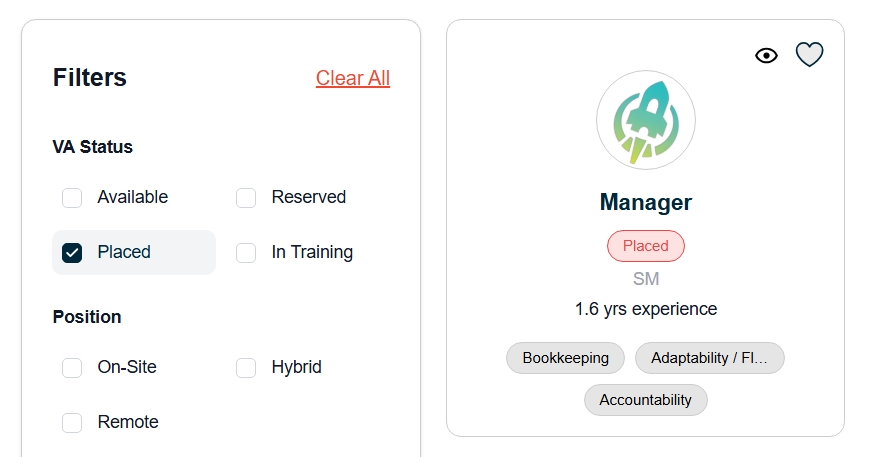
1. Enhanced VA Profile Card
The Detailed VA Profile Card layout was optimized to improve presentation and reduce unnecessary length.
- Extra spacing was removed to minimize the overall card height.
- A new 30/70 column structure was implemented in the Detailed Profile Card for better content alignment.
2. Licensed Agency Status Fix
An issue where the Licensed Agency status was incorrectly displayed on the Detailed Card has been resolved.
- If the Admin sets the VA’s Licensed Agency status to “No”, it now correctly reflects as “No” on the Detailed VA Profile Card.
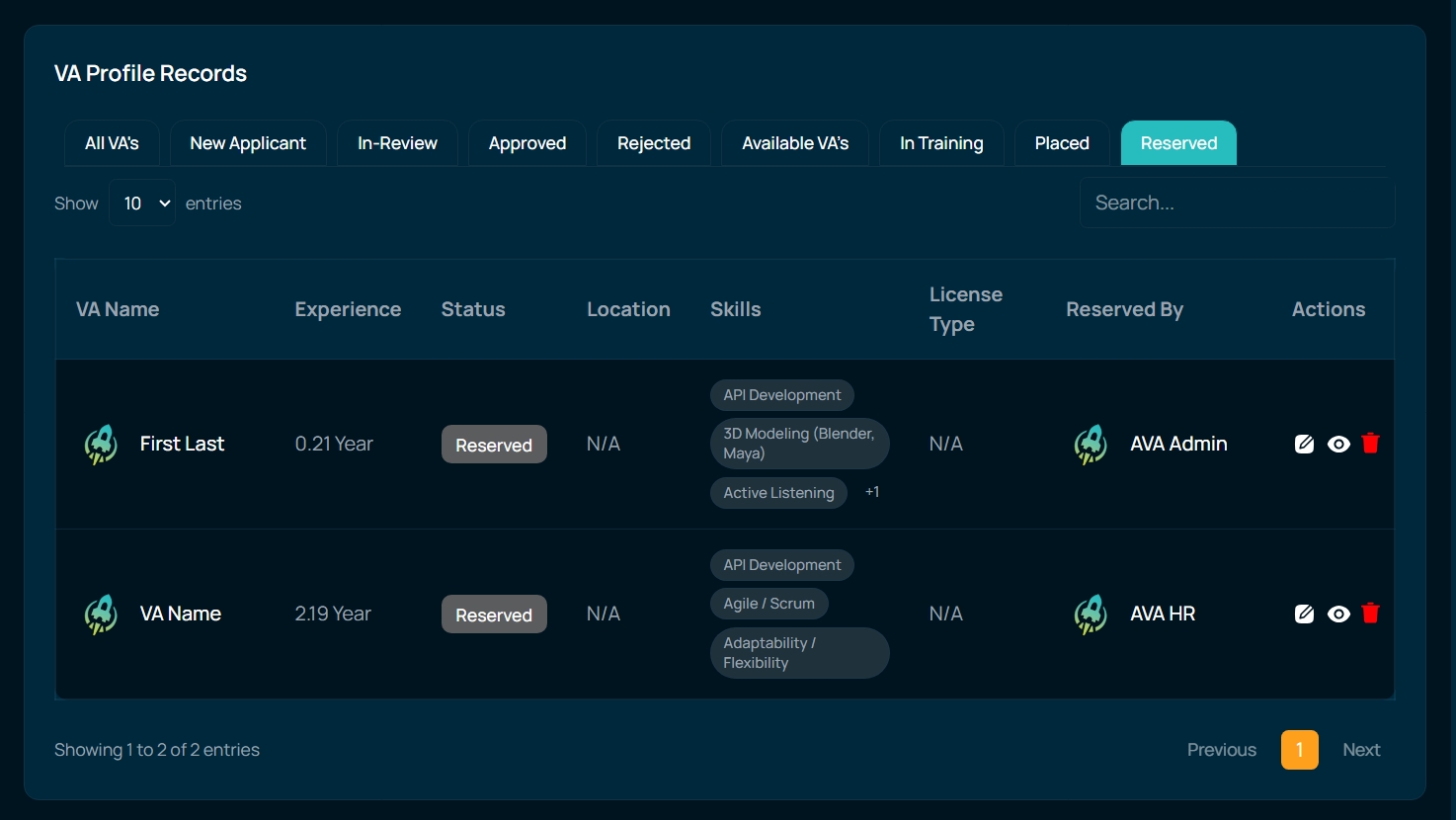
3. Added “Reserved By” Column
A new column was introduced in the Reserved tab to improve visibility of reservation details.
- A “Reserved By” column is now available in the Storefront Profiles → Reserved Tab.
- Admins and HR can now see which user has reserved the VA.
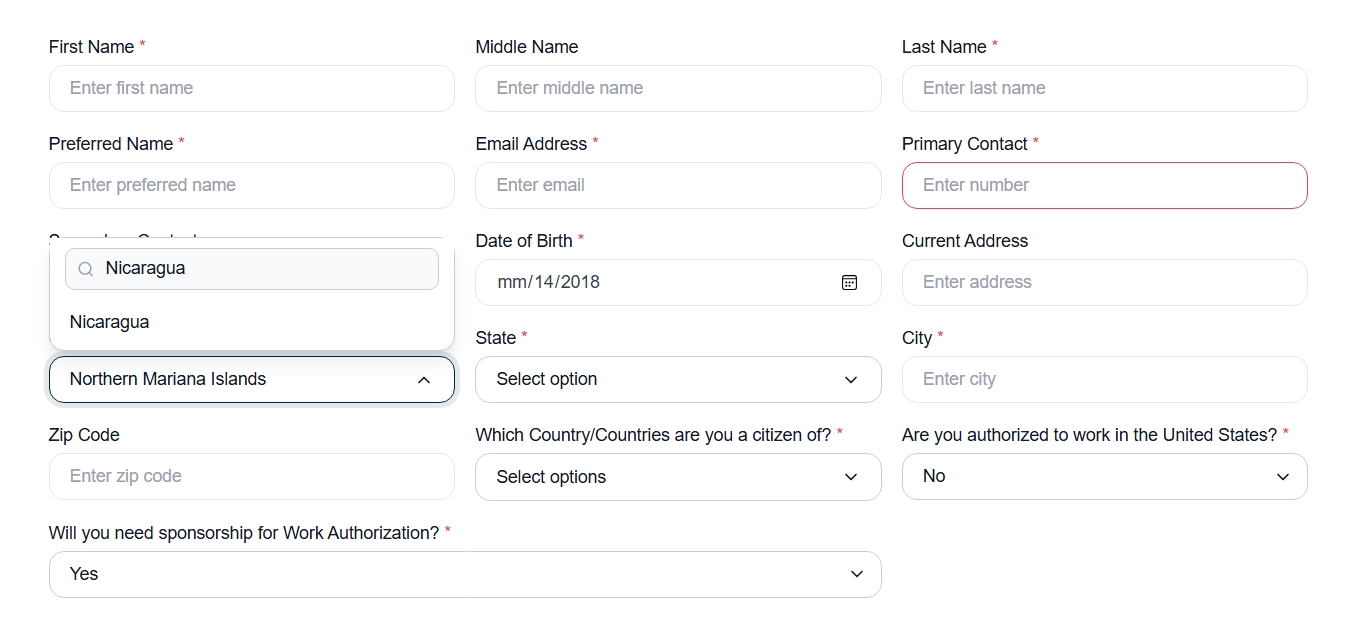
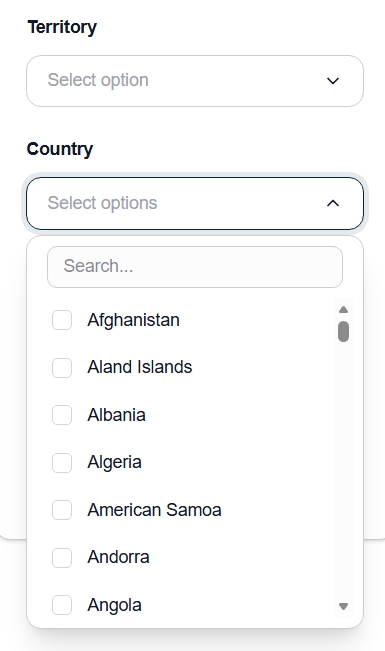
4. Search Functionality in Country List
The Country list in the VA Sign Up form was enhanced to improve usability.
- A search bar was added to the Country dropdown.
- Users can now easily search and select their country while applying as a VA.
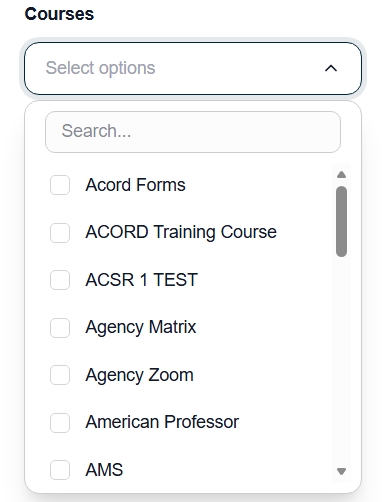
5. New Courses Filter
A new filter was introduced on the Storefront Home Page to improve VA search capabilities.
- A Courses filter was added to the sidebar.
- Users can now filter VAs based on the courses they have completed.
6. Country Filter Improvement
The Country filter logic was updated to work independently from the Territory filter.
- Previously, countries were only displayed after selecting a Territory.
- The Country filter now works independently.
- Users can apply Country and Territory filters separately or together.
7. New Status “In Training”
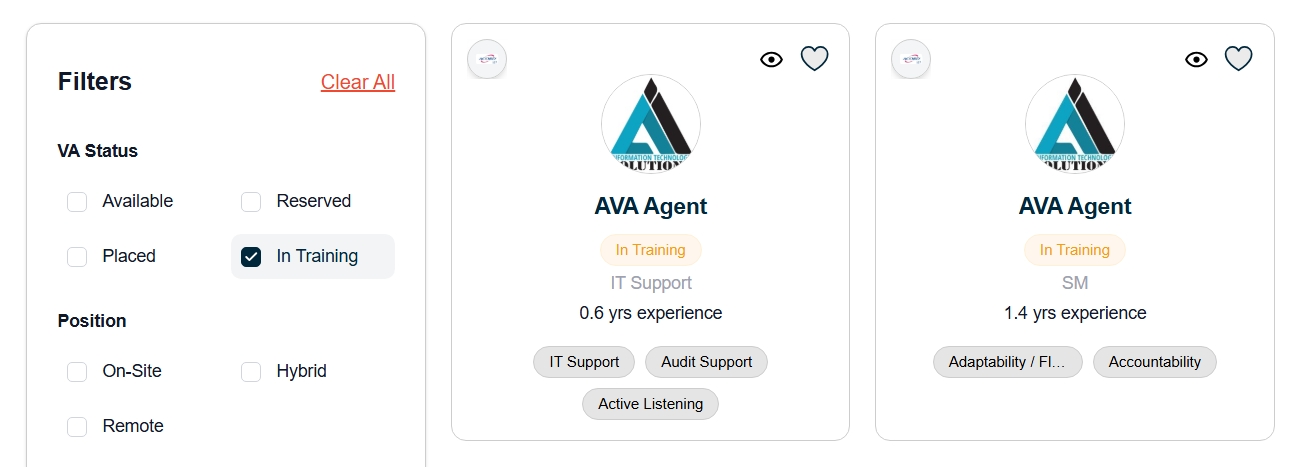
A new profile status was added to better categorize VAs undergoing training.
- A new status called “In Training” was added to the VA Profile.
- An “In Training” filter was added in the sidebar.
- Users can now filter and view only VAs who are currently in training.
8. “No VA Found” Loading Fix
An issue where a “No VA Found” message briefly appeared during page loading was resolved.
- Instead of showing “No VA Found,” the system now displays loading skeleton cards while the page loads.
9. Intro Video Display Fix
An issue related to the Intro Video link visibility on the Admin side was resolved.
- After saving the VA profile, the Intro Video link is now visible on the Admin side.
- The link continues to display correctly on the client side.
10. Status Label Update
A wording update was implemented in the VA Profile status.
- The label “Not Available” was changed to “Placed”.