
AVA Storefront
Agency VA Storefront - Enhancements 26.3
This release focuses on improving the AVA Storefront experience by addressing UI inconsistencies, enhancing filtering capabilities, fixing data-related issues, and improving overall usability across key modules.
The updates aim to provide a smoother user experience, more accurate data representation, and better control over VA profiles, courses, and search functionality. These enhancements significantly improve how users interact with the storefront and manage resources.
Storefront Enhancements & Fixes
VA Profile & Display Improvements
Several improvements have been made to ensure that VA profiles are displayed accurately and align with design expectations.
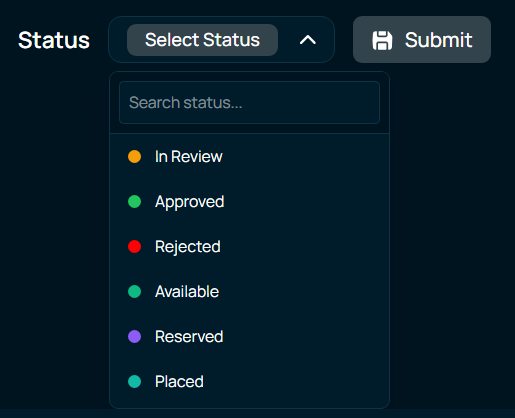
- Resolved issue where “No VAs Found” message appeared incorrectly
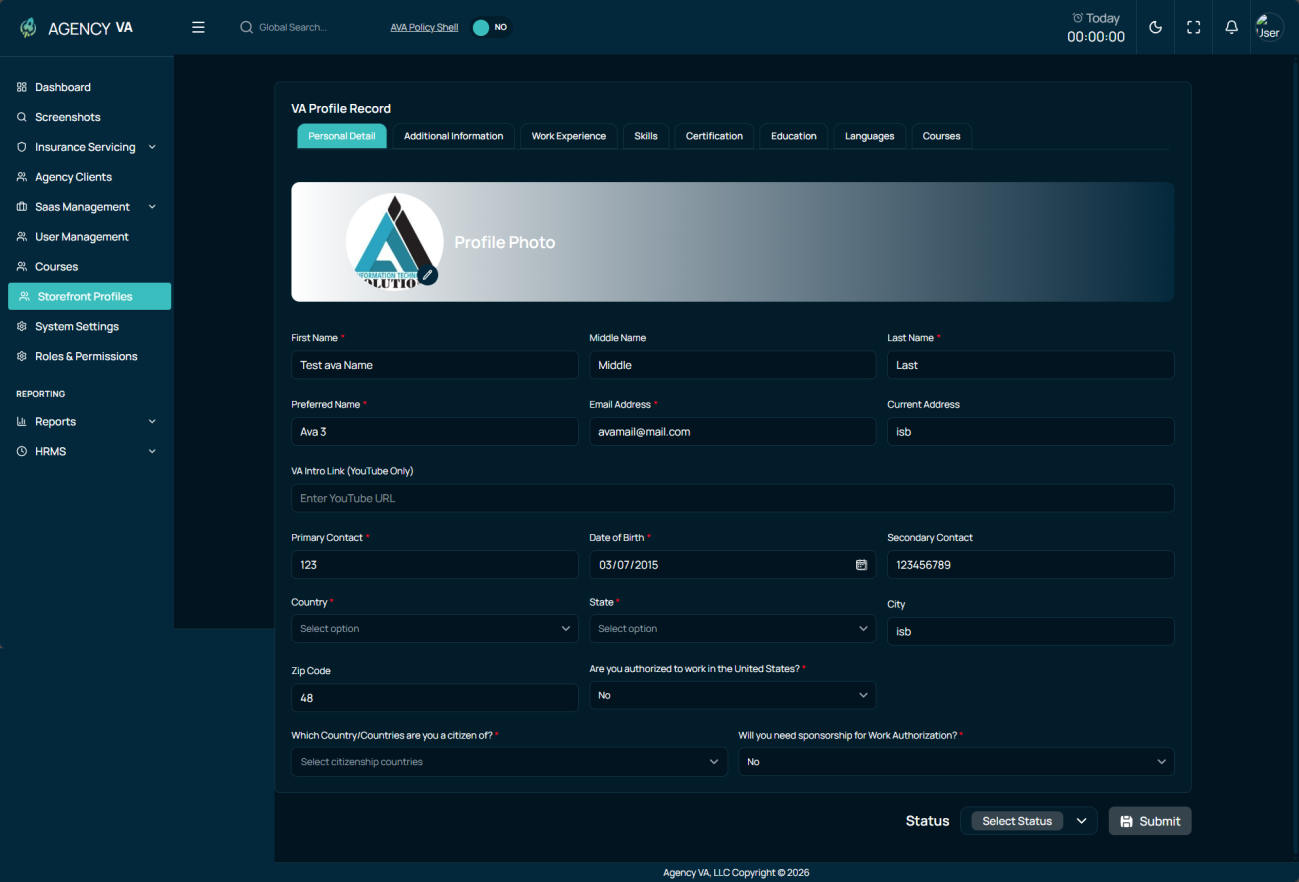
- Fixed Intro Link not being removed after saving VA profile
- Implemented status-based color coding for better visibility of VA statuses
These updates ensure a more consistent, accurate, and user-friendly profile experience.
Filtering & Search Enhancements
Filtering and search capabilities have been significantly improved to enhance usability and data discovery.
- Fixed search bar not working in Courses module (Admin side)
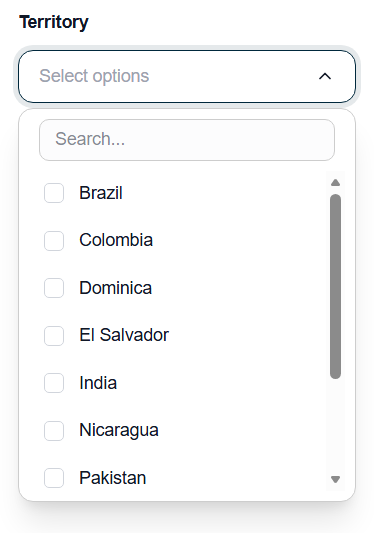
- Removed the Country Filter from sidebar
- Fixed territory list not updating correctly in filters
- Added the Pre-License in the Filter.
- Added descriptive text at the top of the filter bar to provide better clarity and guidance to users
- Added New Skills in the Filter and the Signup Form.
These enhancements allow users to quickly find relevant data and improve navigation efficiency.
Status & Workflow Updates
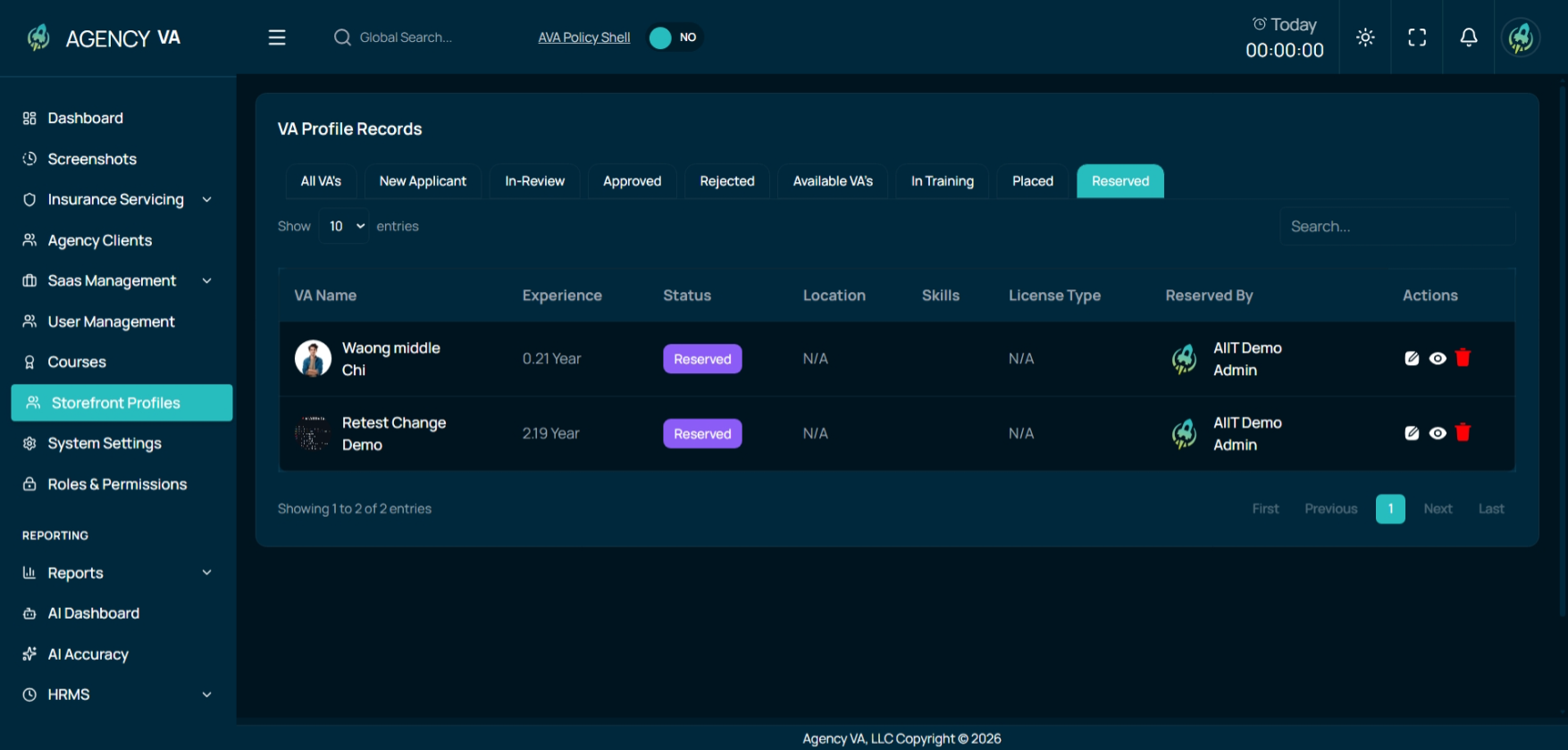
- Added new “In Training” status and corresponding filter
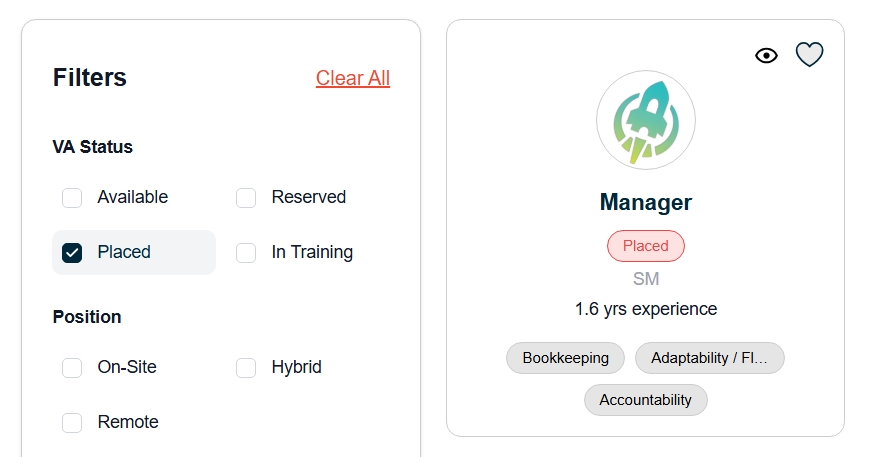
- Updated wording from “Not Available” to “Placed” for better clarity
- Added “Reserved By” column in Reserved tab for improved tracking
- Added the Pre-License Status in the Admin Side and Sign Up Form
These changes improve clarity, tracking, and workflow management across the platform.
Data & Validation Fixes
- Fixed country dropdown missing values in signup form
- Resolved education country validation issue (frontend/backend mismatch)
- Improved data consistency across forms and filters
These fixes ensure accurate data handling and reduce user errors.
File & Data Handling Improvements
- Increased file size limit of Certificate, Resume, and License File from 2MB to 5MB
These updates improve system flexibility and data management efficiency.
Key Improvements in This Release
- Enhanced VA profile experience and UI consistency
- Improved search and filtering functionality
- Added new status tracking and workflow features
- Fixed data validation and dropdown issues
- Improved file handling capabilities
- Increased overall system reliability and usability
Summary
This release enhances the AVA Storefront by focusing on usability, accuracy, and performance improvements. With better filtering, improved UI consistency, and stronger data handling, users can now interact with the system more efficiently and effectively.
Storefront Profile and Filter Enhancements
1. Enhanced VA Profile Card
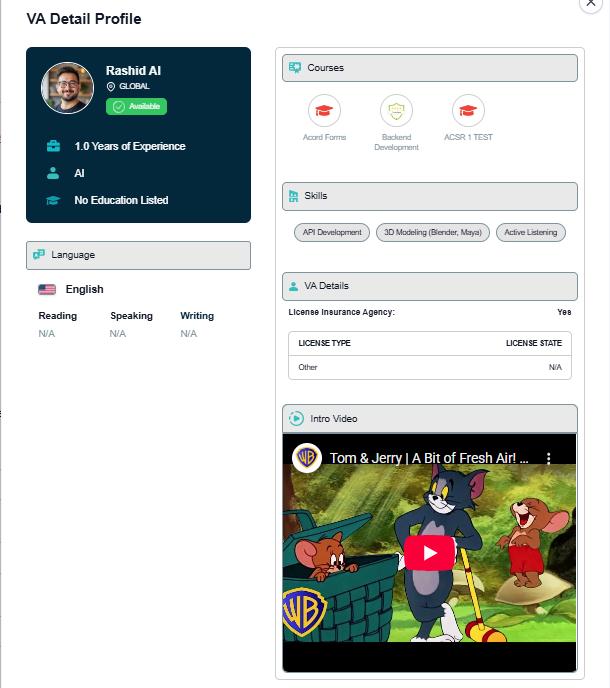
The Detailed VA Profile Card layout was optimized to improve presentation and reduce unnecessary length.
- Extra spacing was removed to minimize the overall card height.
- A new 30/70 column structure was implemented in the Detailed Profile Card for better content alignment.
2. Licensed Agency Status Fix
An issue where the Licensed Agency status was incorrectly displayed on the Detailed Card has been resolved.
- If the Admin sets the VA’s Licensed Agency status to “No”, it now correctly reflects as “No” on the Detailed VA Profile Card.
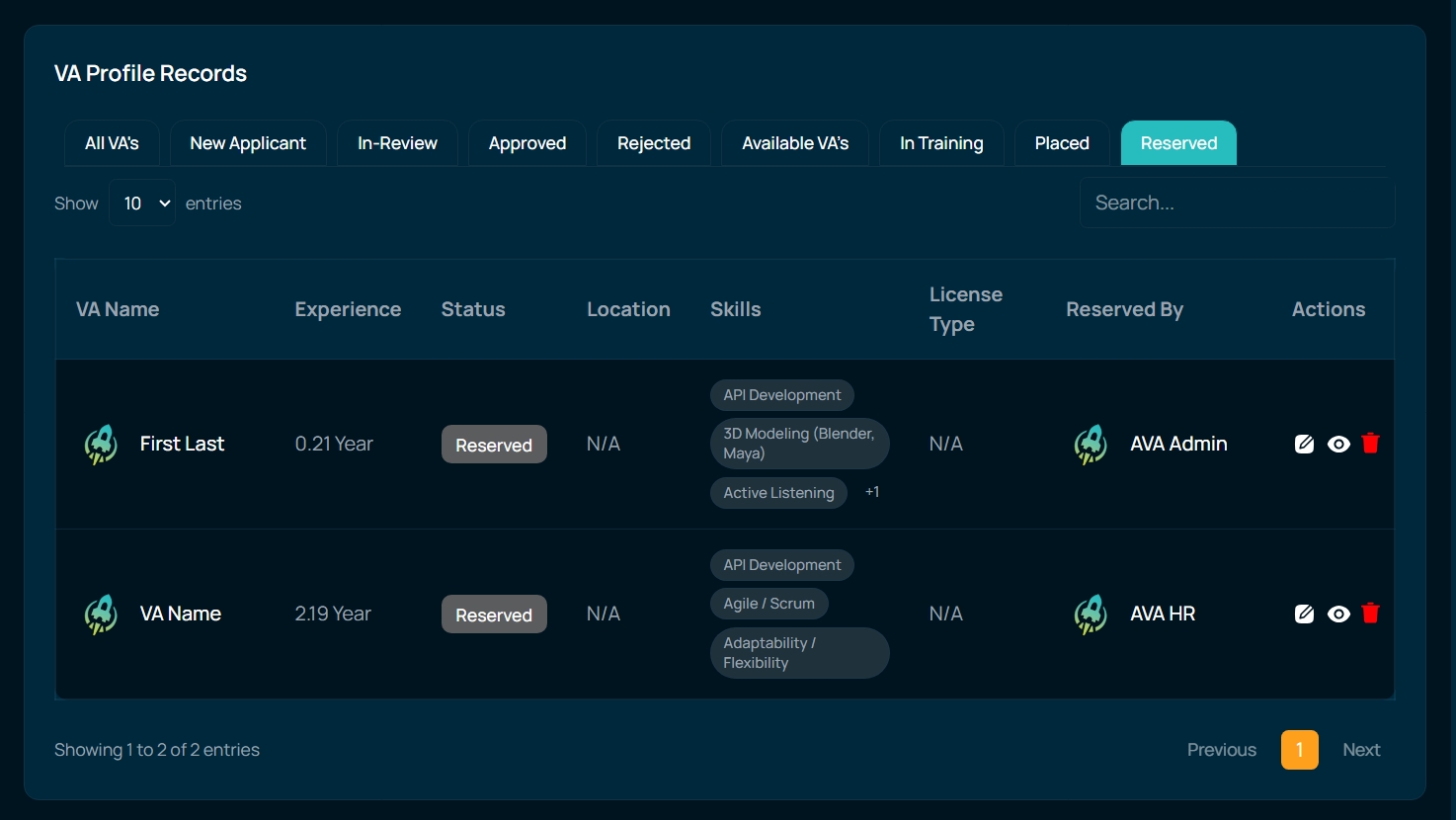
3. Added “Reserved By” Column
A new column was introduced in the Reserved tab to improve visibility of reservation details.
- A “Reserved By” column is now available in the Storefront Profiles → Reserved Tab.
- Admins and HR can now see which user has reserved the VA.
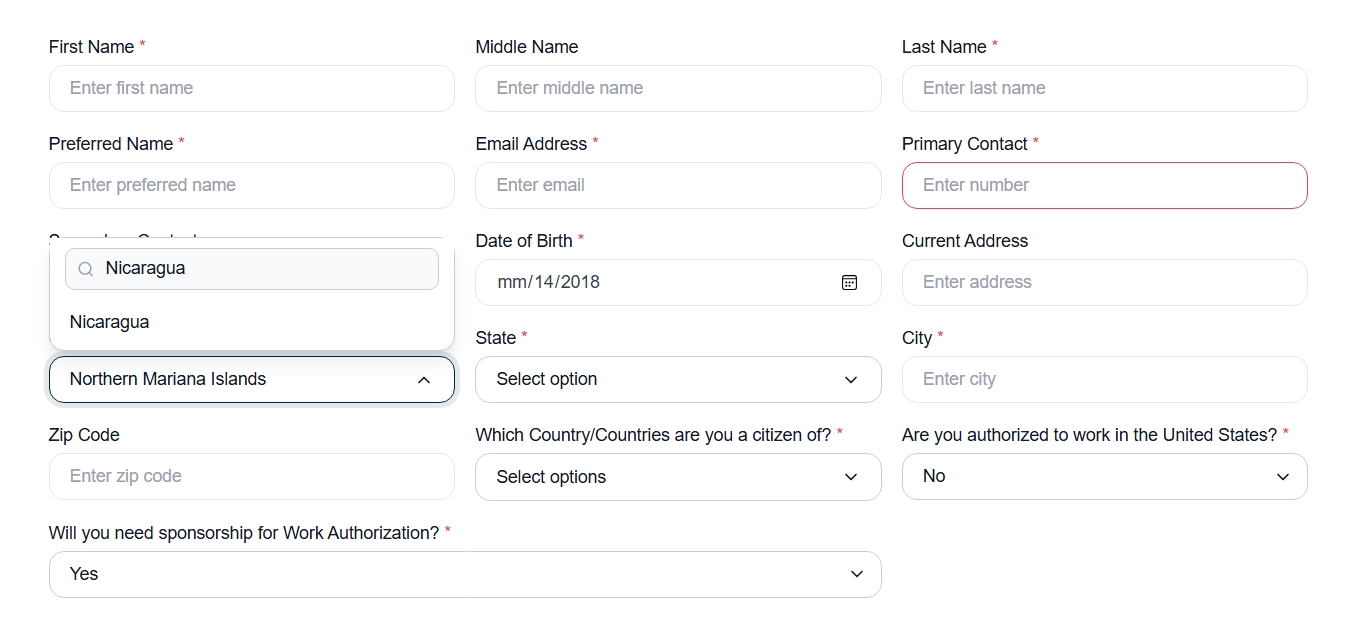
4. Search Functionality in Country List
The Country list in the VA Sign Up form was enhanced to improve usability.
- A search bar was added to the Country dropdown.
- Users can now easily search and select their country while applying as a VA.
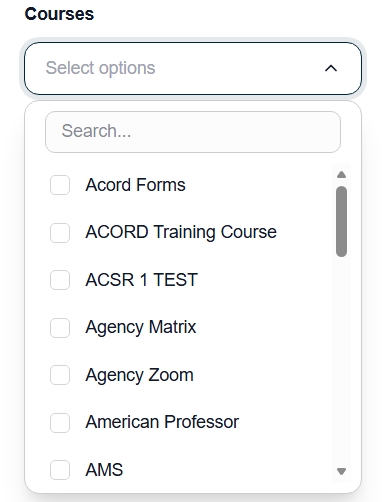
5. New Courses Filter
A new filter was introduced on the Storefront Home Page to improve VA search capabilities.
- A Courses filter was added to the sidebar.
- Users can now filter VAs based on the courses they have completed.
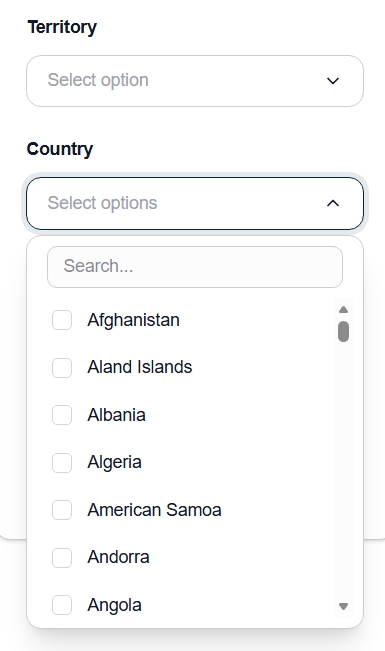
6. Country Filter Improvement
The Country filter logic was updated to work independently from the Territory filter.
- Previously, countries were only displayed after selecting a Territory.
- The Country filter now works independently.
- Users can apply Country and Territory filters separately or together.
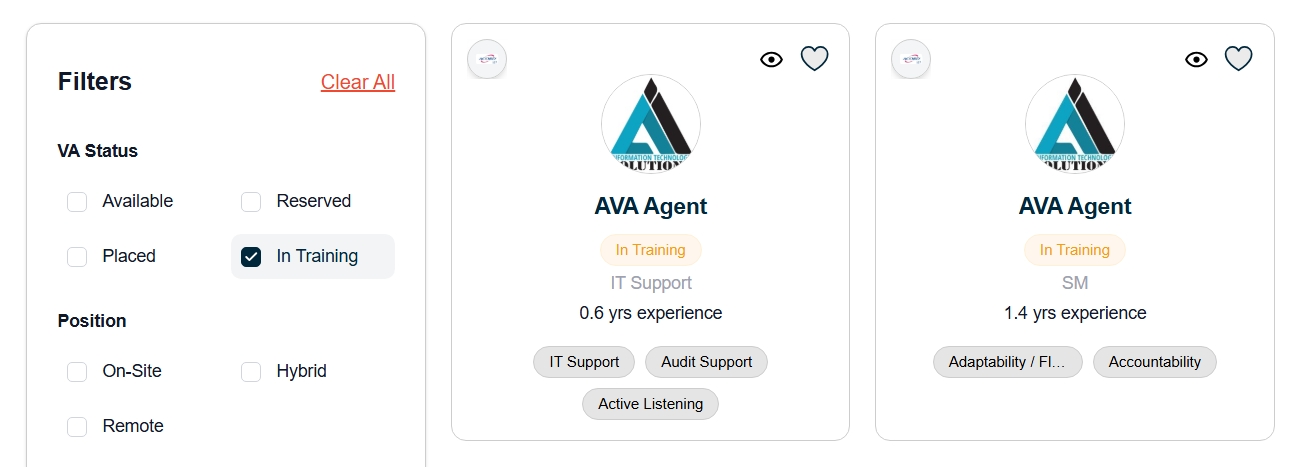
7. New Status “In Training”
A new profile status was added to better categorize VAs undergoing training.
- A new status called “In Training” was added to the VA Profile.
- An “In Training” filter was added in the sidebar.
- Users can now filter and view only VAs who are currently in training.
8. “No VA Found” Loading Fix
An issue where a “No VA Found” message briefly appeared during page loading was resolved.
- Instead of showing “No VA Found,” the system now displays loading skeleton cards while the page loads.
9. Intro Video Display Fix
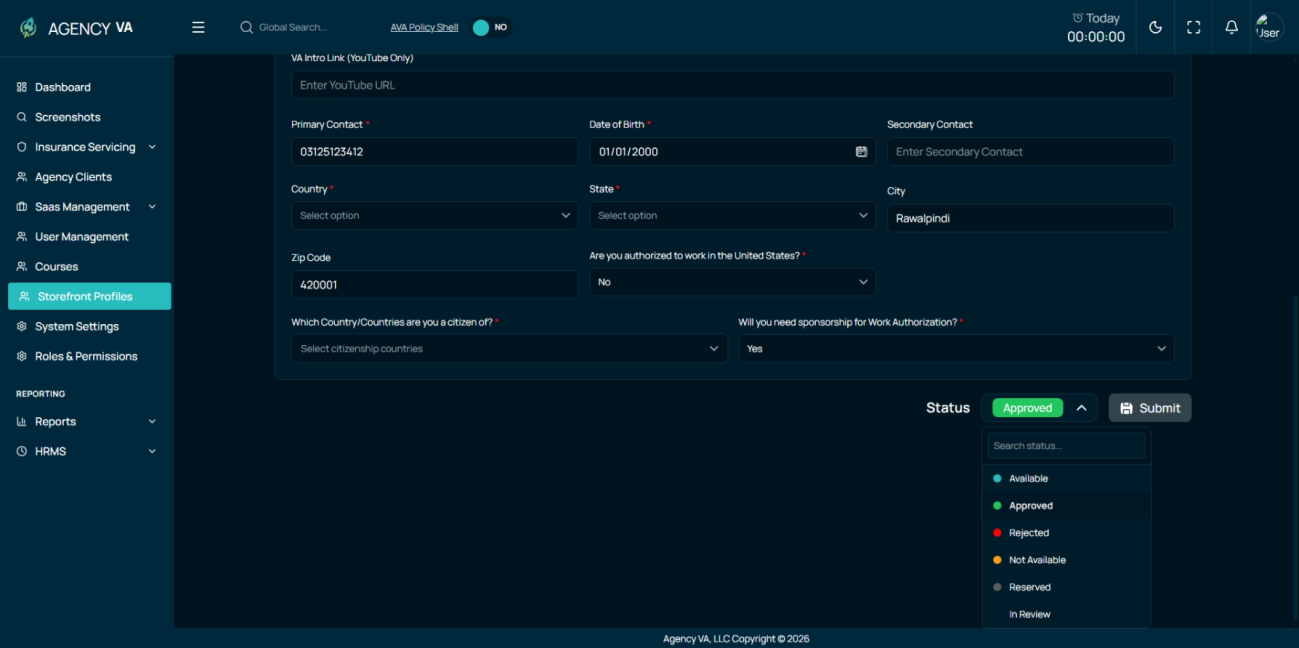
An issue related to the Intro Video link visibility on the Admin side was resolved.
- After saving the VA profile, the Intro Video link is now visible on the Admin side.
- The link continues to display correctly on the client side.
10. Status Label Update
A wording update was implemented in the VA Profile status.
- The label “Not Available” was changed to “Placed”.
AVA Storefront Release Notes
This release focuses on improving the Storefront experience, VA profiles, filters, and admin functionality, along with the introduction of a new Courses feature. Multiple issues were fixed to improve usability, accuracy, and system stability.
1. Storefront & VA Listings
- The VA profile view on the storefront was updated for better presentation of details.
- VA middle name is now shown in the Storefront Admin VA listing table.
- Card layout and pagination were improved to enhance navigation.
- Issues with popup background dimming on the Contact Sales page were fixed.
- A VA reservation feature was added, allowing Sales team members to reserve VAs.
1. Filters & Search Improvements
- Territory and Country filters were added to the Storefront sidebar.
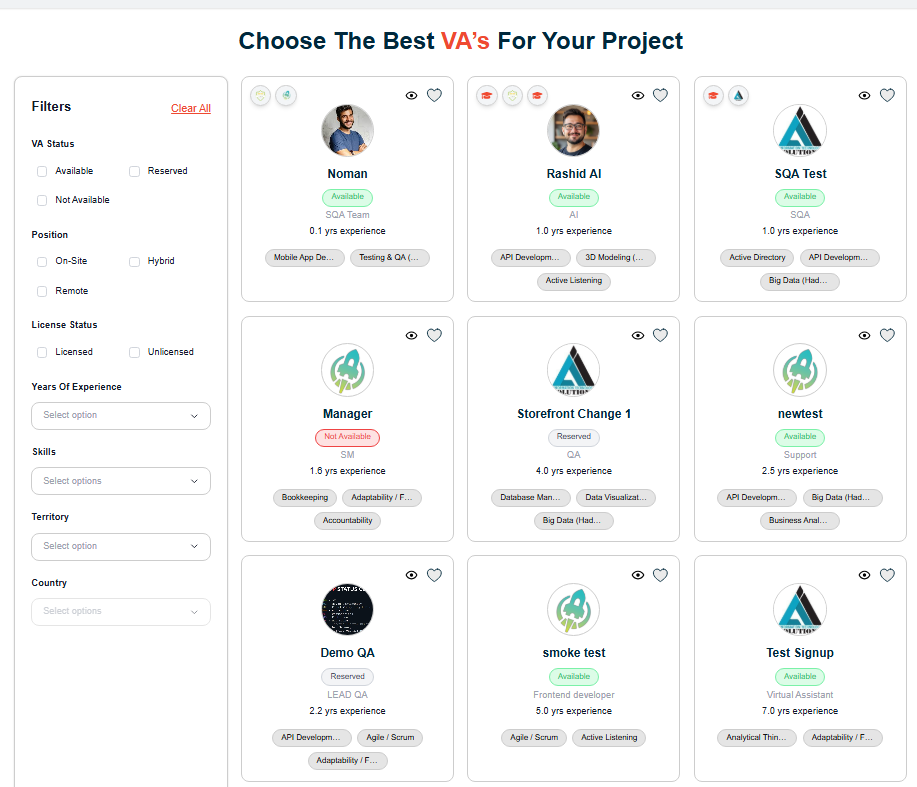
- The Years of Experience filter was corrected to show accurate values.
- Search functionality was improved to return results across all pages, not just the current page.
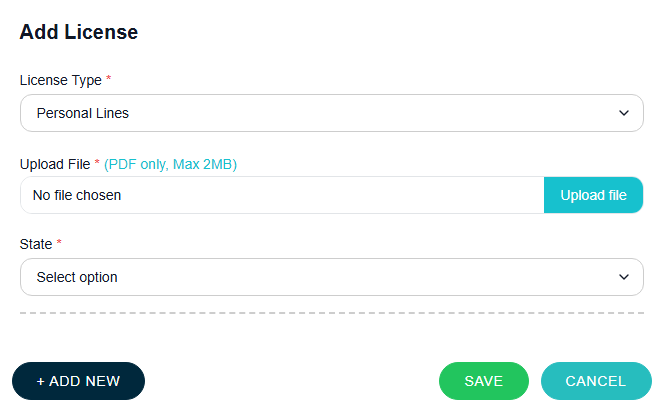
- File upload support was added for all license types.
- A custom name field was added for the “Other” license option.
- Certification field was marked as required.
- Certificate upload, saving, and display issues were fixed.
- Selected skills are now saved in a single field without categorization.
- Issues with saving education and work experience descriptions were resolved.
- “Currently Working Here” and “Currently Studying” options were added to Work Experience.
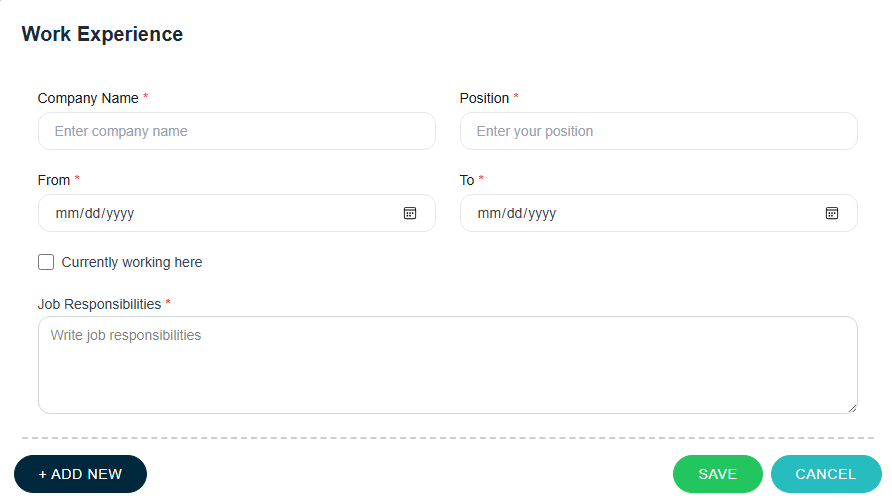
- Validation was improved for required fields such as designation and experience.
- Citizenship selection issues were fixed, including multi-country selection.
- Language proficiency mapping issues were resolved.
- Resume and certificate visibility issues in edit mode were fixed.
- A VA intro video link was added on the Admin side.
1. Admin & Storefront Fixes
- Missing or incorrect data on VA detail pages after approval was resolved.
- Validation messages were improved to be clearer and more user-friendly.
2. Courses Feature (New)
- A new Courses module was introduced on the Admin side.
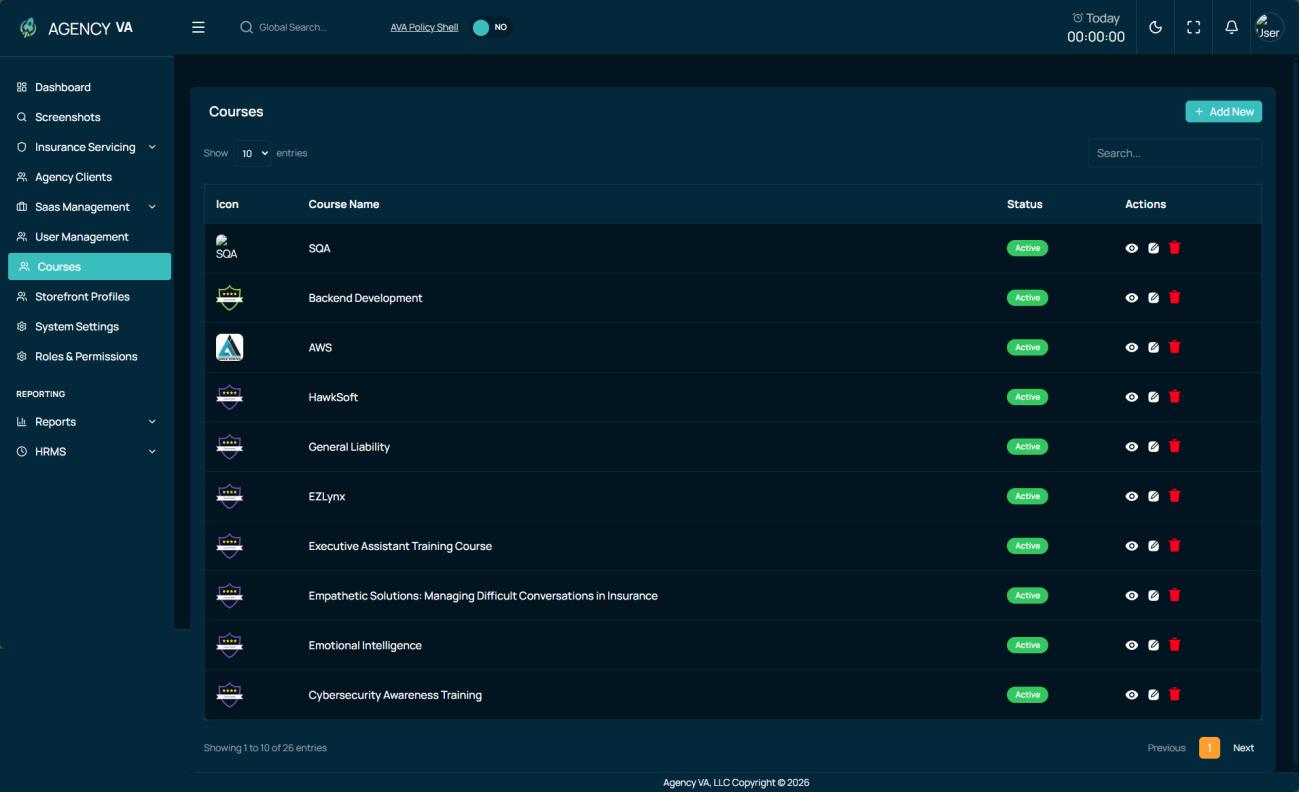
- Admin users can create, update, and delete courses.
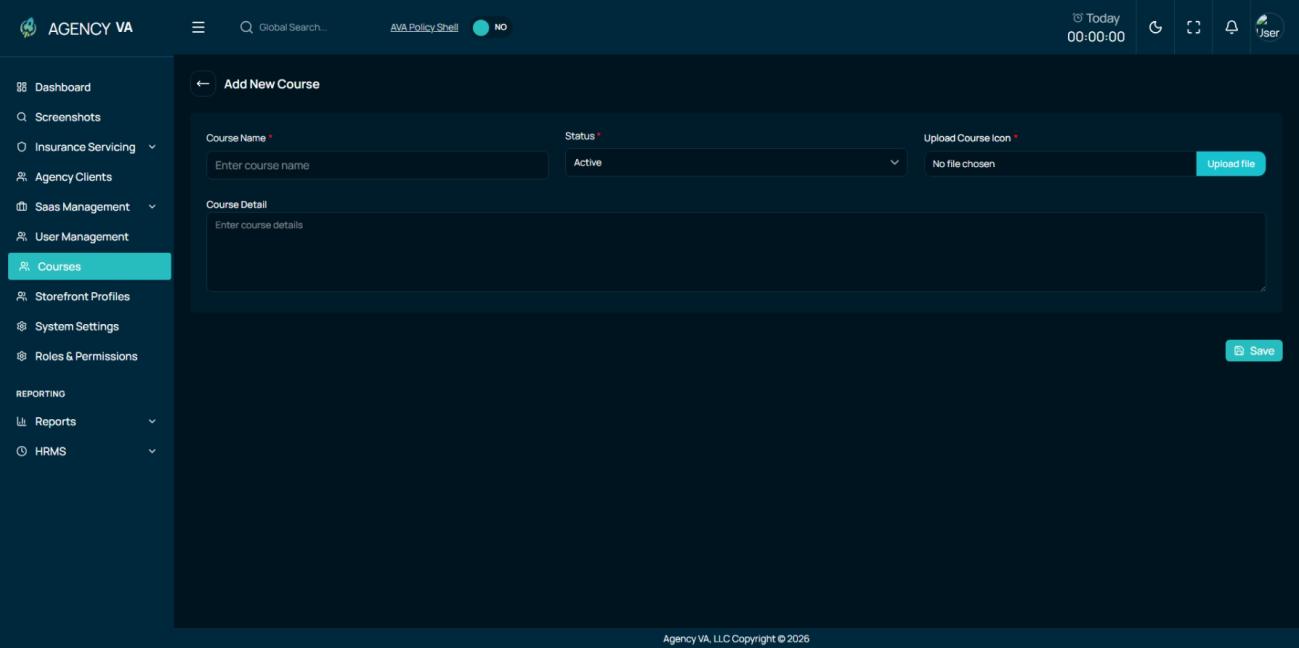
- Course badges were added for each course.
- Courses can now be assigned to VAs with status.
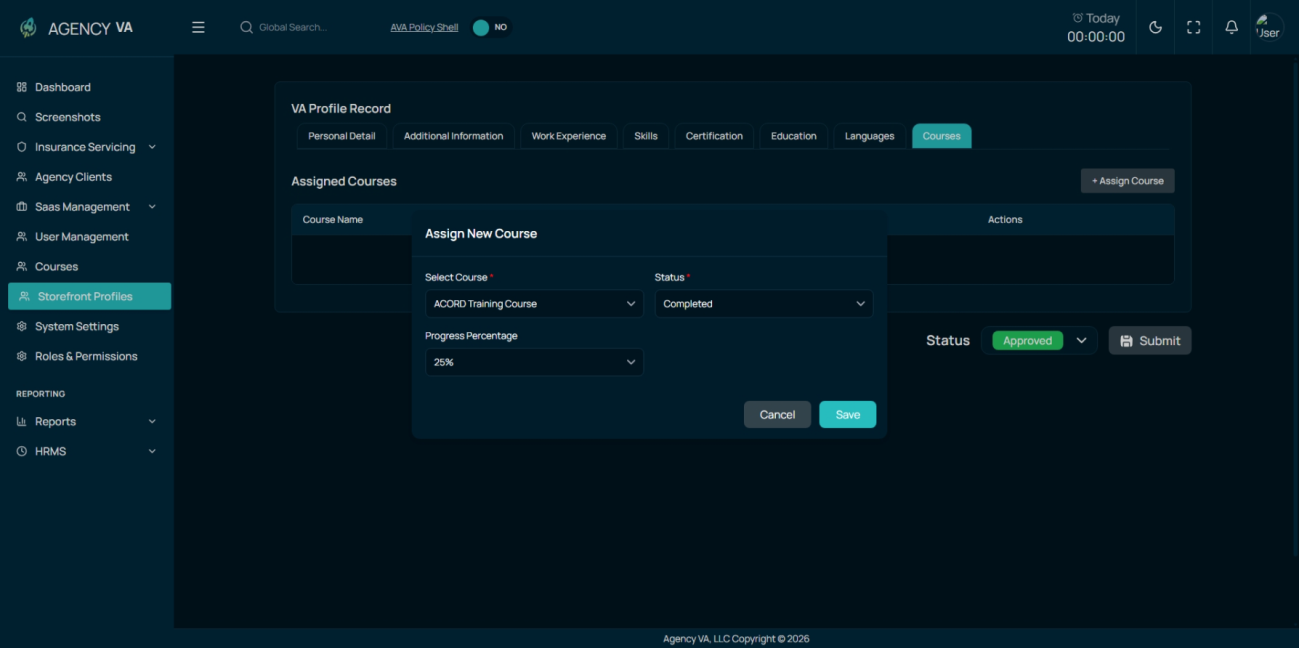
- Assigned course badges are displayed on VA cards and VA detailed profile pages.
Release Notes: Storefront and Talent Management
This release introduces a reimagined Storefront, now functioning as a separate yet integrated application that can operate as a standalone product or as a component of the wider AVA suite.
Client-Side: Revamped Frontend Experience
The frontend has been completely redesigned to improve how clients interact with talent:
New Homepage & Search: The interface now features VA Profile cards and advanced Search Filters to help clients find the right match efficiently.
Enhanced VA Profiles: Profile cards have been upgraded to display key details at a glance, including Name, Location, Skills, and an introductory video.

Client Engagement: Potential employers can now "favourite" talent using a Heart Icon and have the ability to contact sales directly to facilitate hiring.

Talent Experience: Improved Onboarding
We have focused on making the entry point for new talent as smooth as possible:
Streamlined Signup: A new VA Signup flow and an improved onboarding form have been implemented to simplify the registration process for new talent.

Admin-Side: Management & Moderation
The admin experience has been overhauled to provide better control over the talent ecosystem:
Redesigned Dashboard: Admins now have access to an isolated Talent Pool via a new management dashboard, allowing them to view and manage VAs based on their specific application status.

Profile Moderation: To ensure high standards of quality and consistency, Admins now have the authority to edit VA profiles before they are approved for publication on the public storefront.


AVA Vision and AVA Revamp Integration
This update ensures the Storefront is fully integrated with AVA Vision, allowing it to function seamlessly as part of the broader AVA ecosystem while maintaining its flexibility as a separate application.
